Approvals
Approvals is the inbox of runs waiting on a person, across every automation. Its heading reads Pending Approvals, and you do not have to know which automation paused to find and answer it.
A run pauses for a person in four ways, and all of them land here: an AI agent asks a question, an AI agent asks before making a change, an Approval step asks for a decision, or an On Demand trigger in the middle of a flow waits to be resumed. Every role can read the list; answering needs the Approve capability, so an Operator or above.
The navigation item carries a badge with the number of waiting requests, which pulses when a new one arrives.

What the table lists
Requests are listed newest first and the list refreshes itself as runs pause and resume.
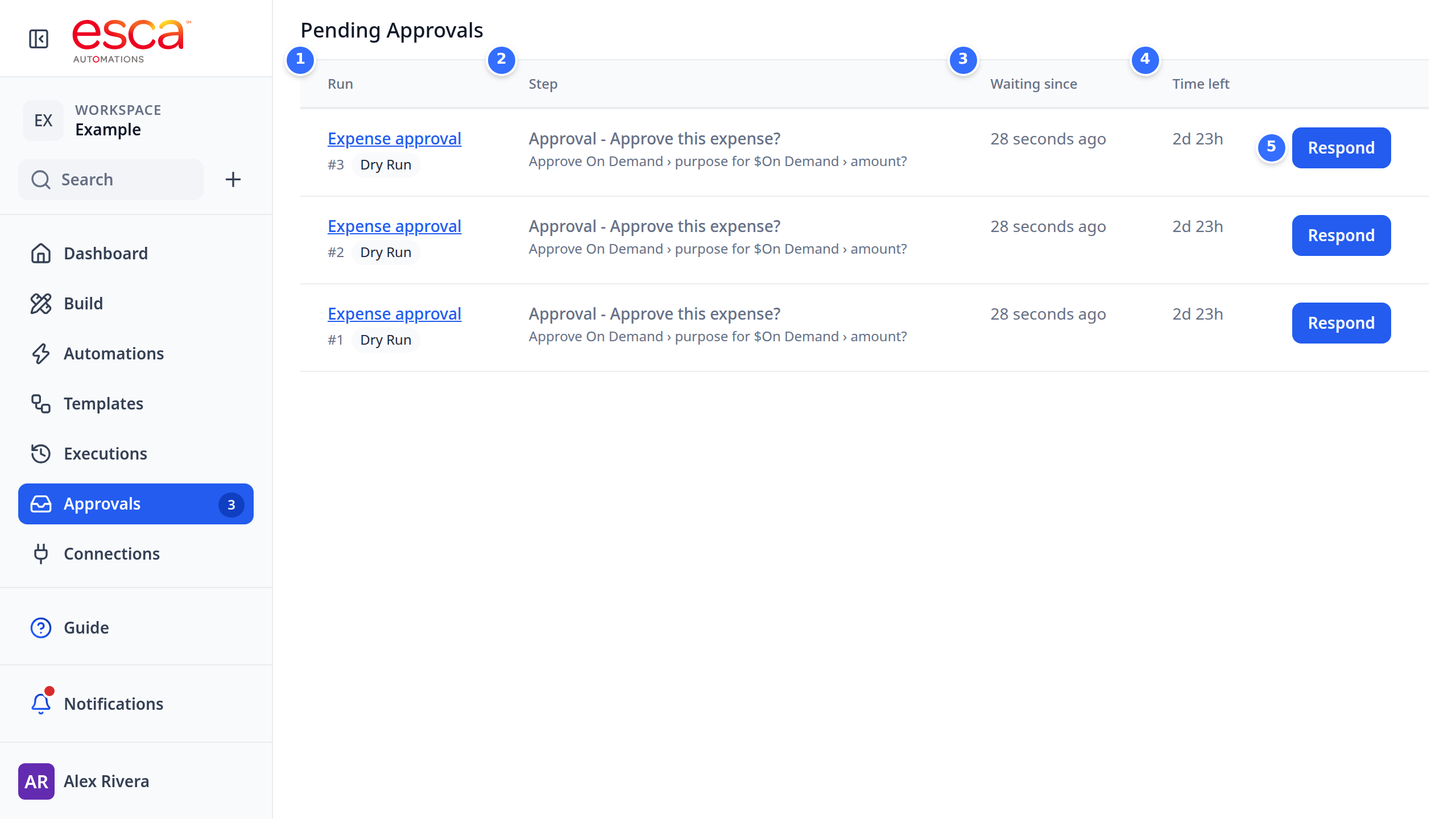
- Run: the automation's name, linking to the run, with the run number. A dry run is badged Dry Run.
- Step: what is being asked: the step's title and the label it wrote for this request. A step inside a loop says which pass is asking.
- Waiting since: how long the request has waited.
- Time left: a countdown to the deadline; hover over it for the exact time.
- Respond: opens the answer form.
Responding
Respond opens the step's own answer form over the list and returns you here when you submit, so you can work down the queue without leaving. An agent's question shows the background the agent attached; an agent's held change shows the agent's account of what it is about to do, the tool and its MCP server, and the arguments, with Approve running exactly that call and Reject sending the agent on without it.
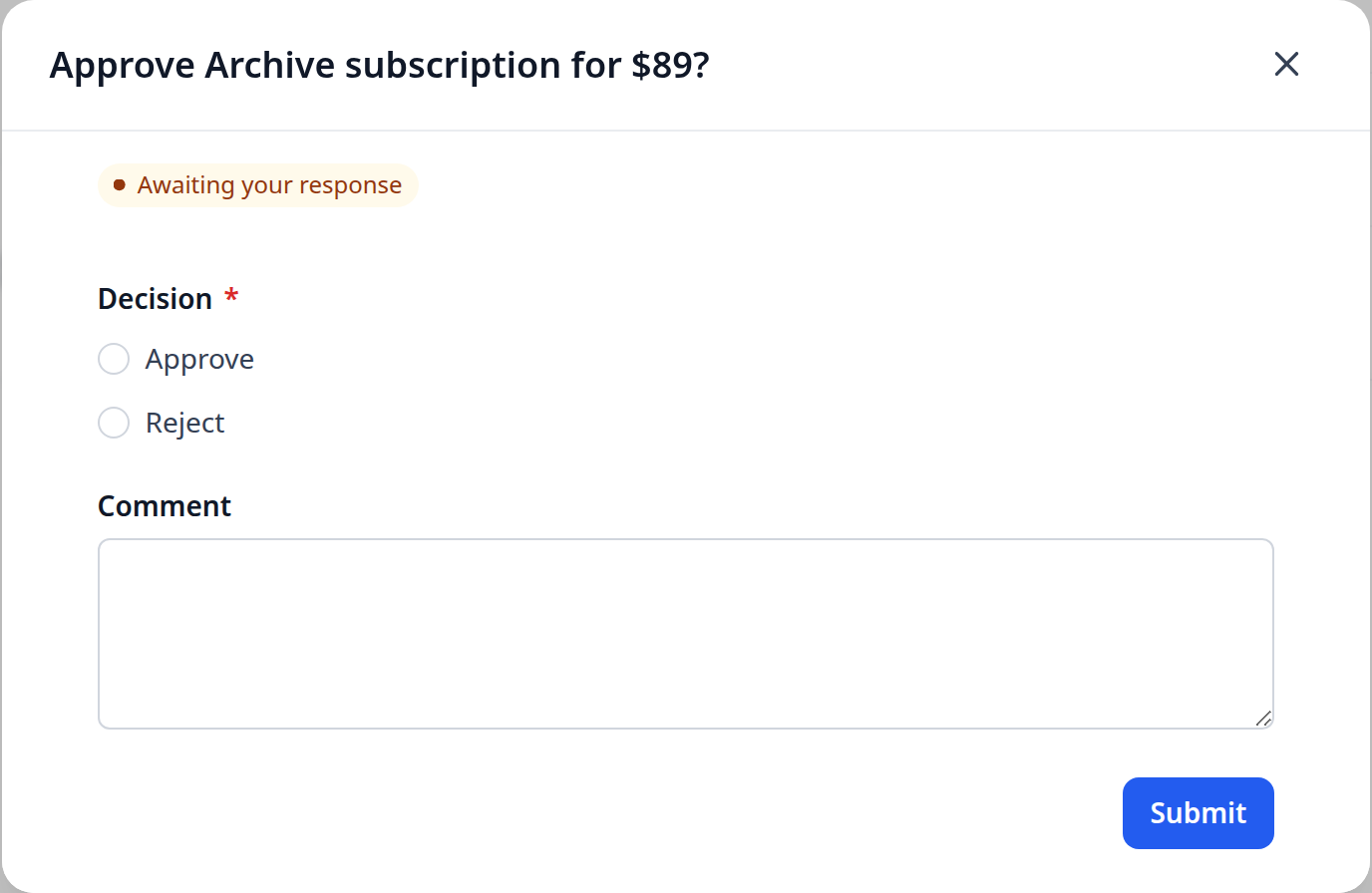
A request can also be answered wherever the step sent it, in Slack or Microsoft Teams; whoever answers first wins, the inbox drops it, and nobody can answer twice.
A request nobody answers within the Awaiting Input Timeout fails its step, and the run continues as it would after any failure. The timeout is 72 hours unless changed on the Settings page.
When nothing is waiting, the page reads No approvals are waiting on you right now. A very large backlog shows the first 200 requests and says so.
Related
- Human in the loop: how a step pauses, where a request can be answered, and how long a wait may last.
- Viewing a run: reading the run a request belongs to.