Agents
Every role can browse the catalog; a Builder or above creates, changes and archives agents.
Your catalog of reusable agents. An agent holds the standing part of an AI step's setup, the model, the instructions and the tools, so the step only supplies the task. This page is where agents are created, found, edited and archived. For what an agent is and how a step chooses its model, see AI agents and models.
A step's reference to an agent is live: editing an agent changes every AI step that uses it, from its next run. Archiving an agent stops every one of those steps, which then fail until the agent is restored or the step is repointed. The archive confirmation lists the automations that will stop.
The cards
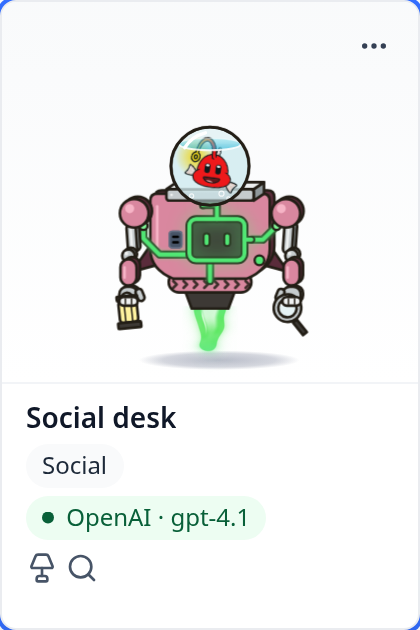
Each card shows the agent's illustration and name, its category, the provider account and model its work runs on, and an icon for each tool source it draws on. Clicking a card opens the agent in the builder. The model chip says where the agent's work runs:
| Model chip | Meaning |
|---|---|
| A provider and model, such as OpenAI · gpt-4.1 | The agent names one of your provider accounts. The usual case. |
| Inherits the step's or site's model | The agent names no model; each step uses its own override or the workspace's Default Model. |
| This deployment's AI configuration | The agent runs on the AI account the platform operator configured for the deployment rather than one of yours. Offered only where the operator allows it. |
| Account unavailable | The agent names an account that no longer exists or cannot be reached. |
An agent whose line reads Account unavailable fails every run that uses it, and this line is the only warning beforehand. Open the agent and point it at a working account.
Finding an agent
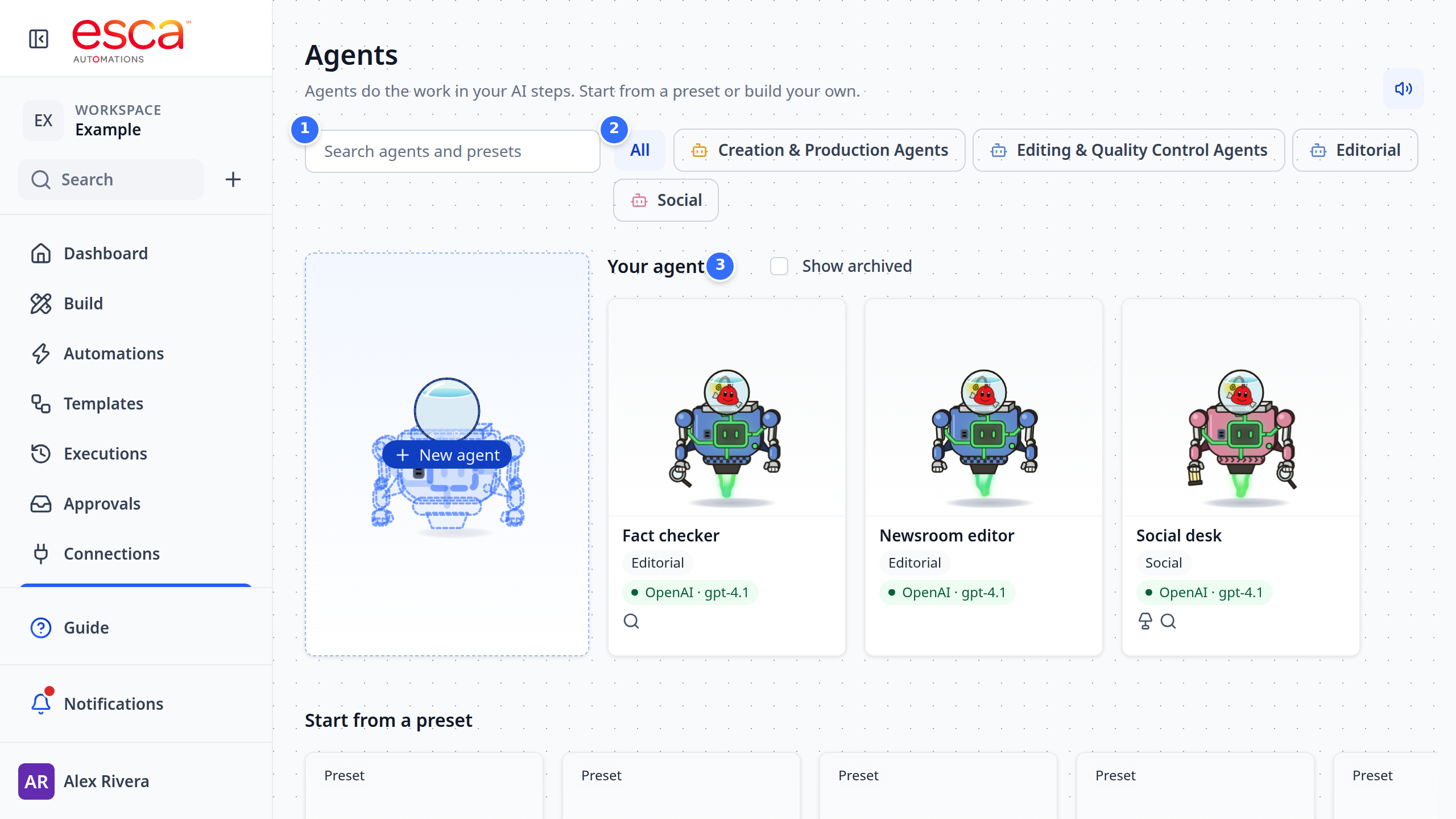
- Search agents: matches the name only.
- Category: shows one category's agents.
- Show Archived: includes archived agents, which are hidden by default and never offered to a step's agent picker. Archive and restore are actions on the agent's own form.
The filters are in the page's address, so a filtered view can be shared.
Creating an agent
- + New Agent opens an empty form. The Agent reference describes each field.
- Start from a preset, below your own agents, offers ready-made starting points. Selecting one opens the agent builder with the preset's values filled in.
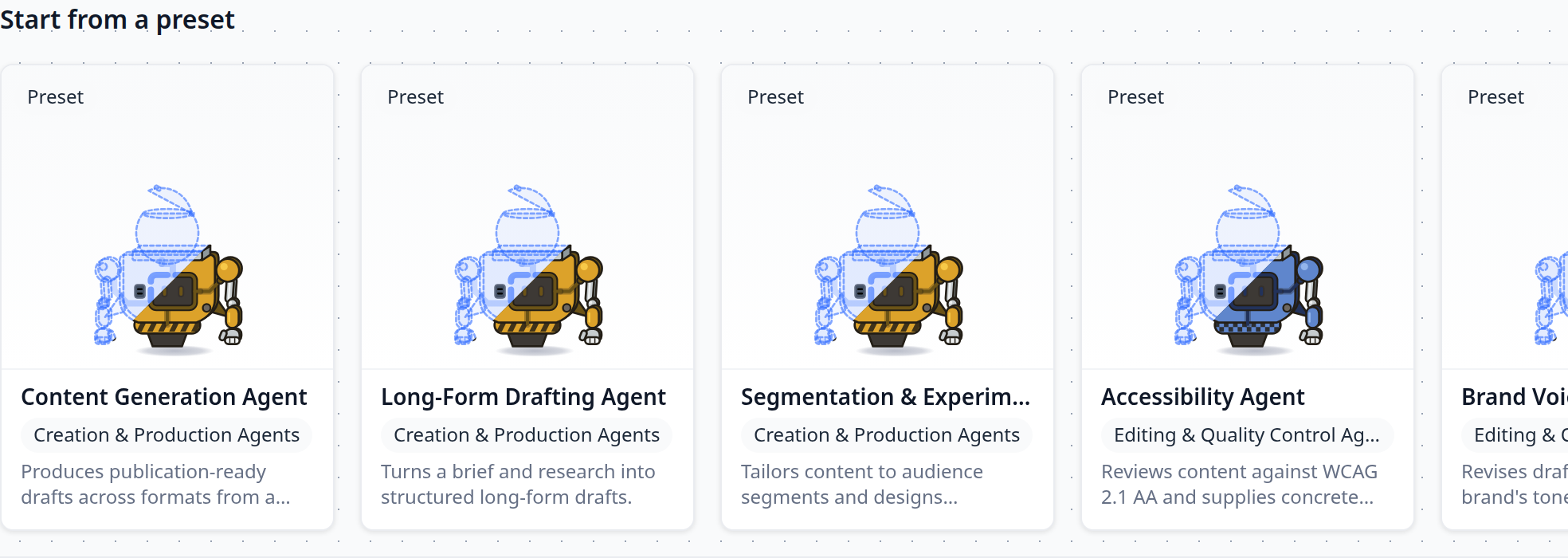
A preset is a copy, not a link: the agent is yours from then on, and later changes to the preset never reach it. Steps, by contrast, follow their agent's edits; see What an agent is.
Related
- AI agents and models: what an agent holds, how a step departs from it, and how a model is chosen.
- Connections: the provider accounts an agent's model runs on, and the MCP servers it draws tools from.
- Settings: the Default Model.