Savings Rates
Only Admins and Owners see this page; see roles.
Savings Rates is where you tune the numbers behind Estimated Savings, the dollar figure that says how much manual work your automations replaced. The estimate multiplies three things: the tasks a run performed, the minutes each task takes a person by hand, and what an hour of that person's time costs. This page owns the minutes. The hourly cost, Labour Hourly Rate, is on the Settings page and defaults to $50.
Tasks and units
A task is a kind of work in the shared catalog, such as publishing an item or translating a page, counted in a unit such as an item, a word or a language. Each step reports the tasks it performed and how many units, and an AI agent's tool calls are counted the same way. Only live runs are priced; dry runs never are.
The rates start from a shared catalog maintained by the platform operator, in the CMS's Admin area as Estimated Savings Catalog, grouped into Priced entries and Needs Pricing entries, tasks that automations have performed but nobody has priced yet. You inherit every rate in it. A task with no rate contributes nothing, and a run that performed one is flagged incomplete until the rate is set. This page is for the cases where an inherited rate is wrong for your team.
The page
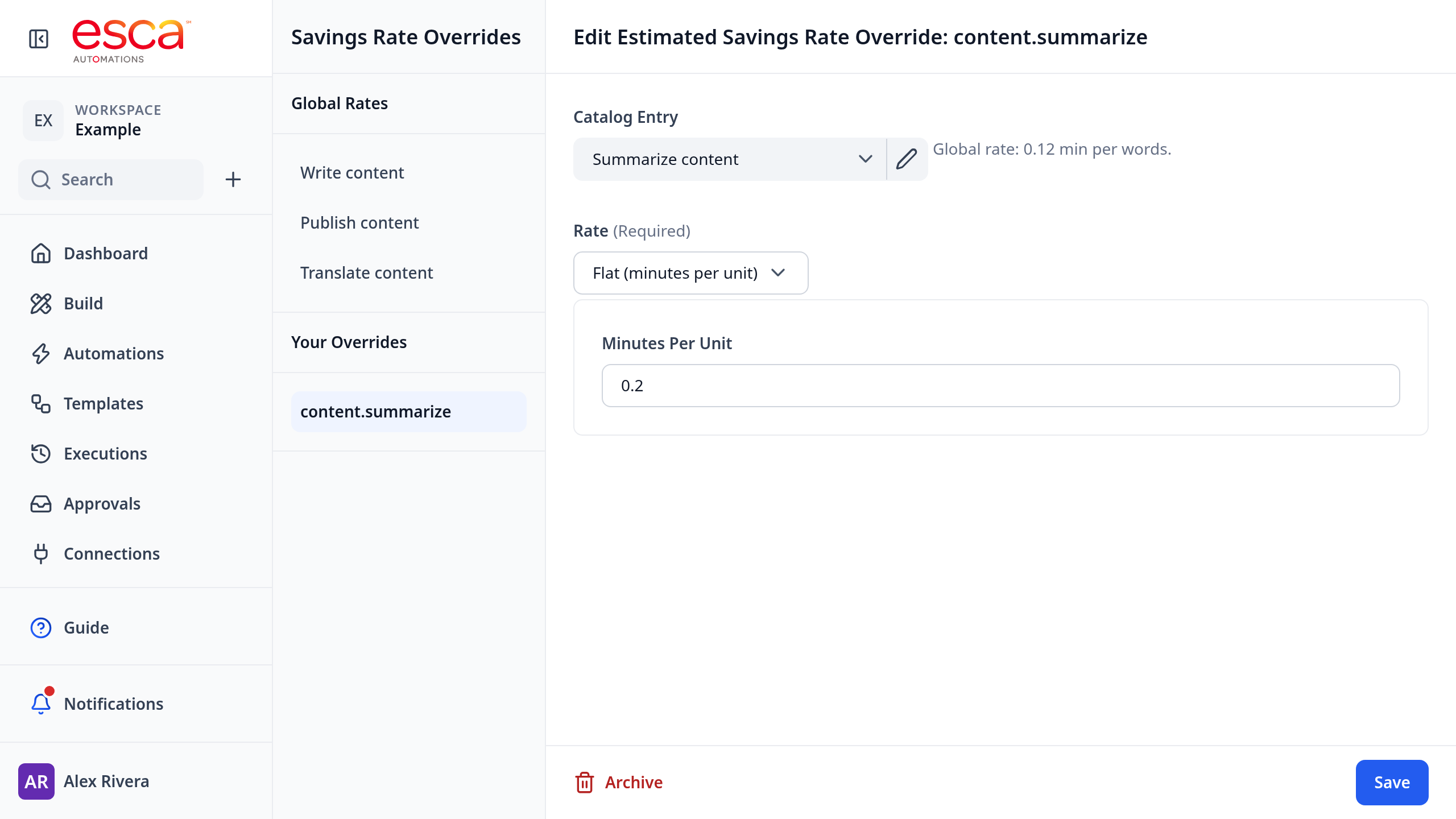
- Global Rates: every rate in the shared catalog you have not overridden. Clicking one starts an override for it.
- Your Overrides: the rates you have overridden. Clicking one opens it.
Writing an override
An override carries only what differs. The task is fixed by the rate you clicked, shown read-only with the inherited rate beneath it. You choose the shape of your rate:
| Shape | Minutes grow... | Use it for |
|---|---|---|
| Flat | the same for every unit | Publishing an item, posting a comment. |
| Tiered | a base for the first unit, then less for each one after | Work where the first item carries one-time setup, such as the first platform taking 30 minutes and each additional one 10. |
| Stepped | at a different rate above each volume breakpoint | Work that gets quicker per unit at scale, such as words in a long piece. |
The Savings Rate reference describes the fields of each shape. Removing an override returns you to the shared rate.
Estimated savings are recalculated every time they are read, so changing a rate here reprices past runs too. The Dashboard's figure moves the next time it loads.
Where the figure appears
As the Estimated Savings card on the Dashboard and as Est. Savings on a run. The platform operator can hide savings figures or stop calculating them for the deployment; neither switch is on the workspace's Settings page.