Esca Automations
Esca Automations takes repetitive work off your team by running it for you, step by step, across Brightspot CMS and the other tools you use. You say what should happen and when; it does the rest and keeps a record of every run.
An automation is what you build: a trigger followed by the steps it sets off. On the canvas each of those is a node, a card you configure through a form. When the automation runs, each node becomes a step of that run, and every run is recorded so you can watch it live or read it afterwards. The glossary has the rest of the vocabulary.
Most of this needs no coding: the visual editor and its forms cover nearly everything. Scripting is there for the cases that want it, and Esca can write the script for you.
Meet Esca
Esca is the AI assistant built into Esca Automations. Describe an automation in a sentence on the Build page and she drafts it on the canvas; ask her for a script or for help with a field and she writes it. Esca is an anglerfish who calls the depths of your content her territory, and her light is for finding your way through it. Read more about who Esca is and what Esca Automations does for a team on brightspot.com (both links leave this guide).
The fastest way to a first automation is to describe it. On the Build page, type what should happen, such as "When an article is published, summarize it and post the summary to Slack", and Esca drafts the whole flow for you to review.
What teams automate
Each example below is a complete automation: a trigger, then steps.
Editorial automation
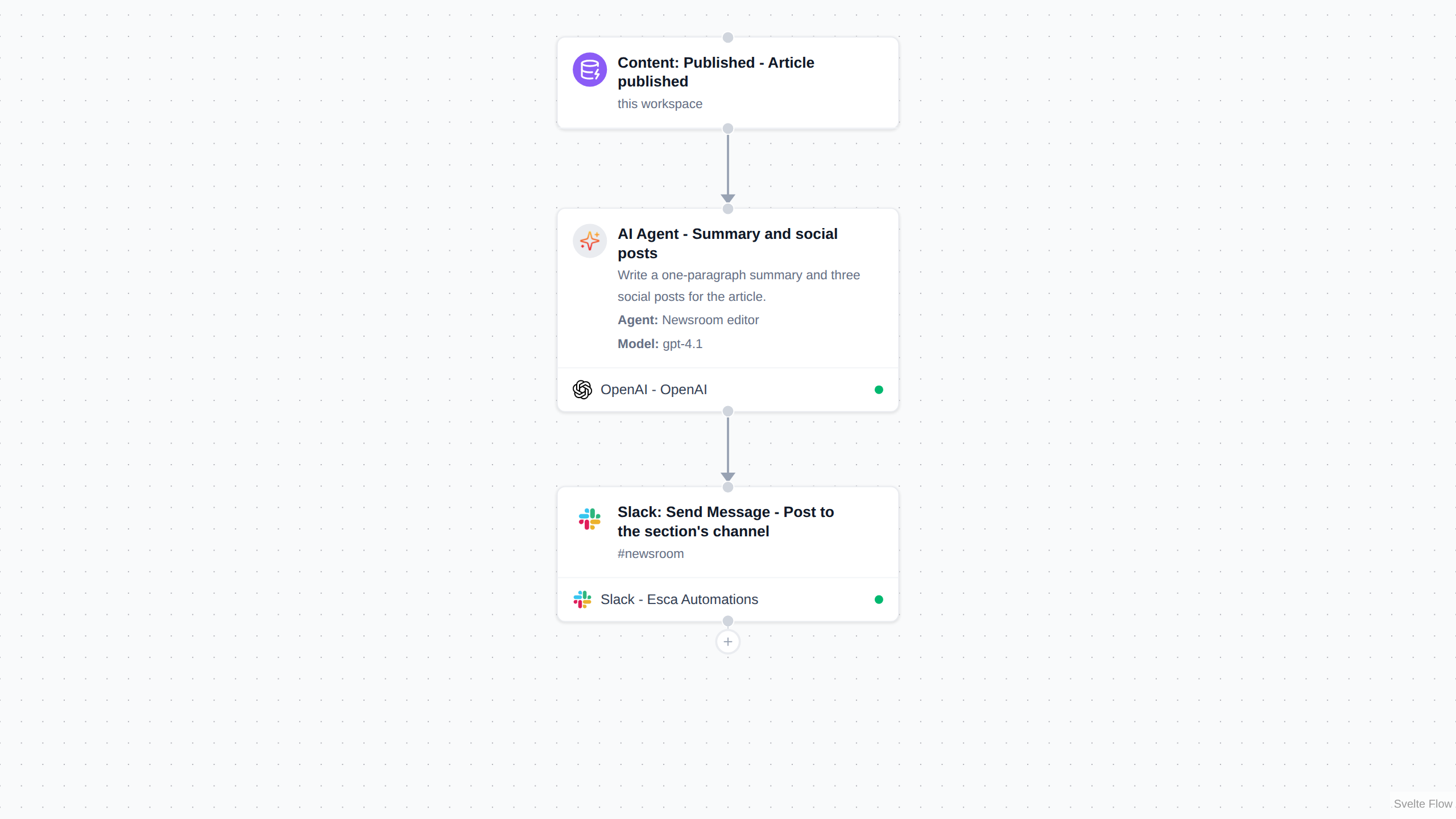
When an editor publishes an article, an AI agent writes the summary and social variations, and Slack carries them to the team that owns that section.
Content approval
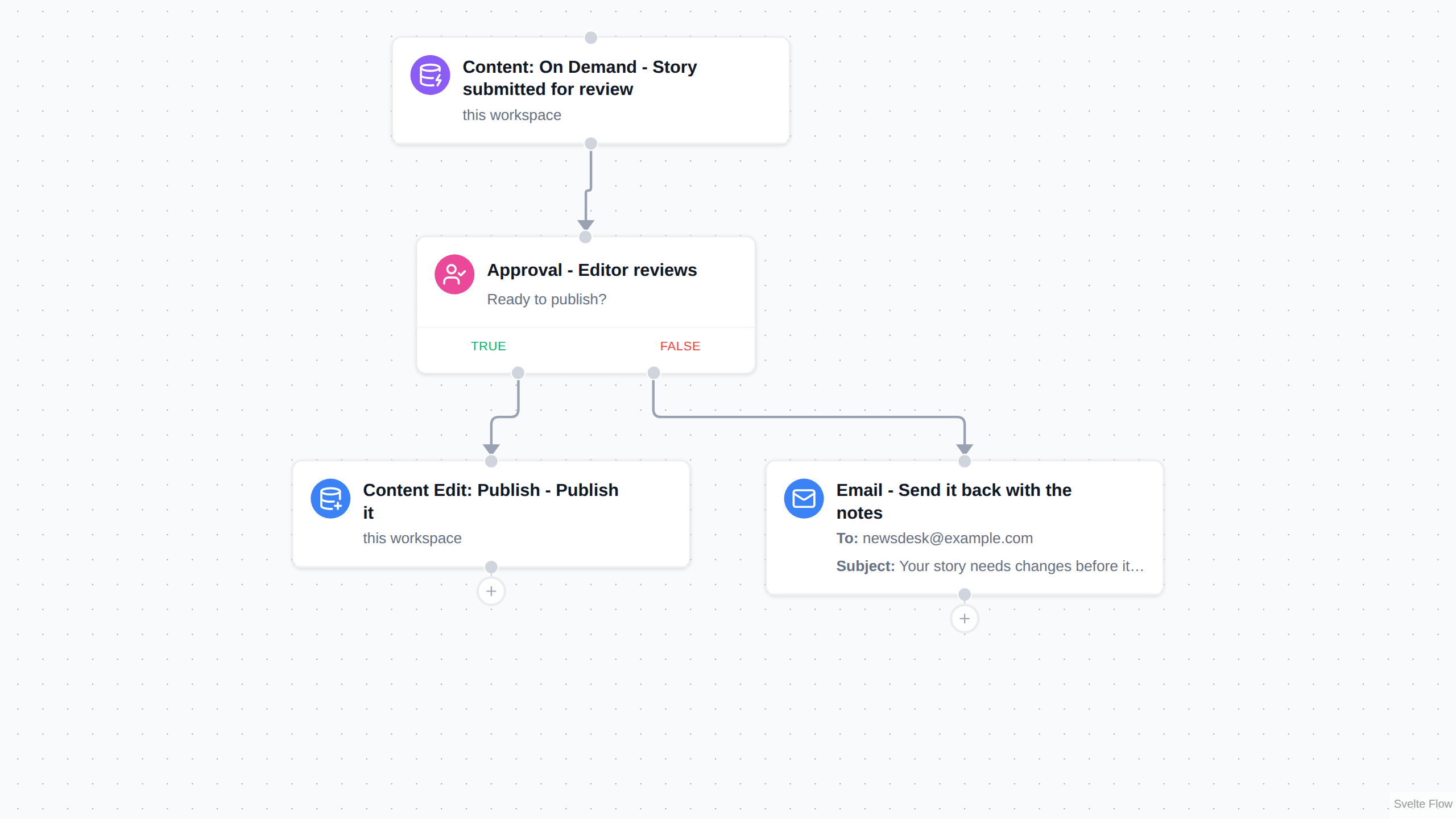
The run pauses at the Approval step until a person answers, from the Approvals page, Slack or Teams. A paused run uses no resources, so it can wait for days.
Cross-system synchronization
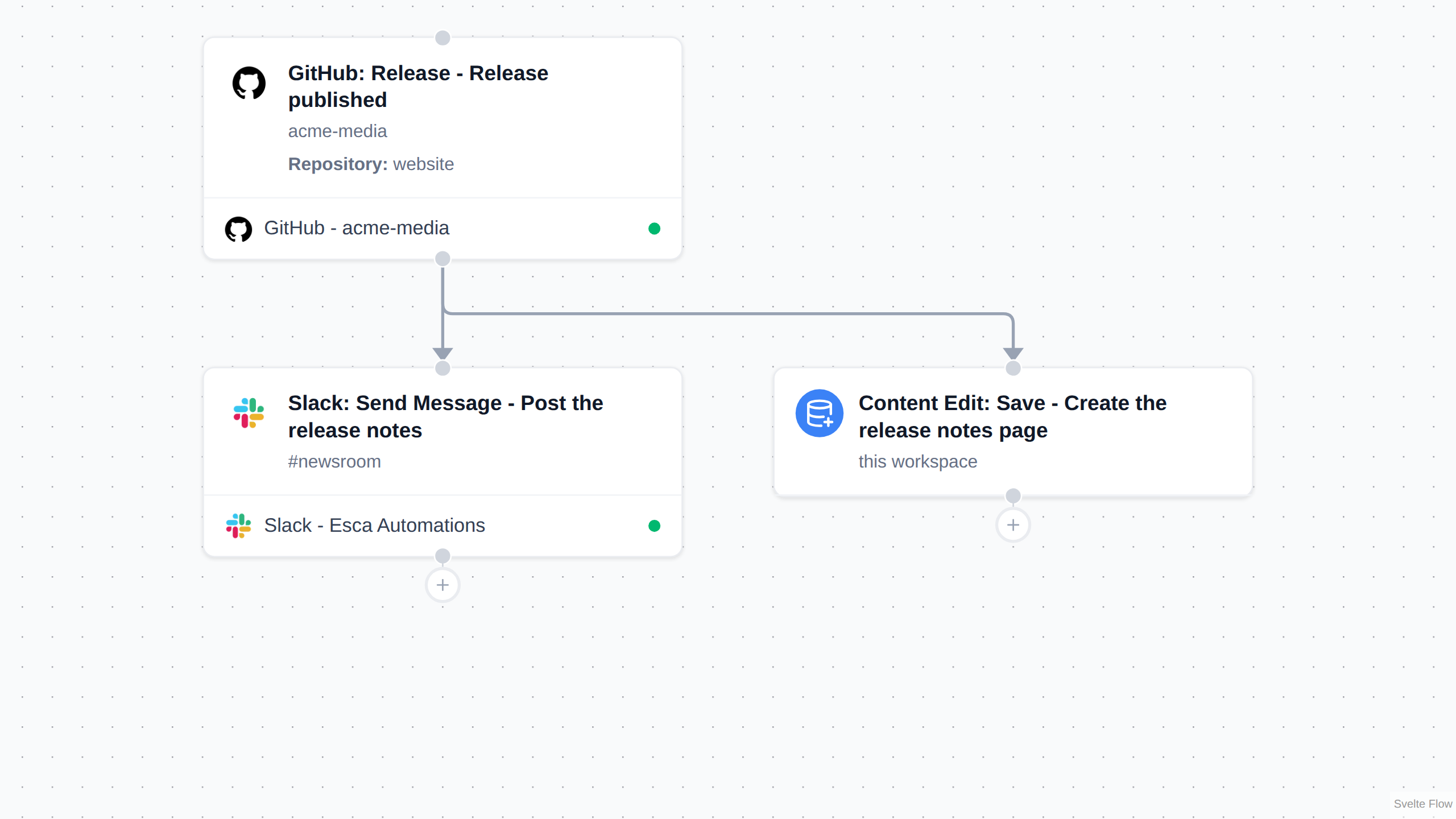
An event in one system drives changes in two others.
Scheduled maintenance
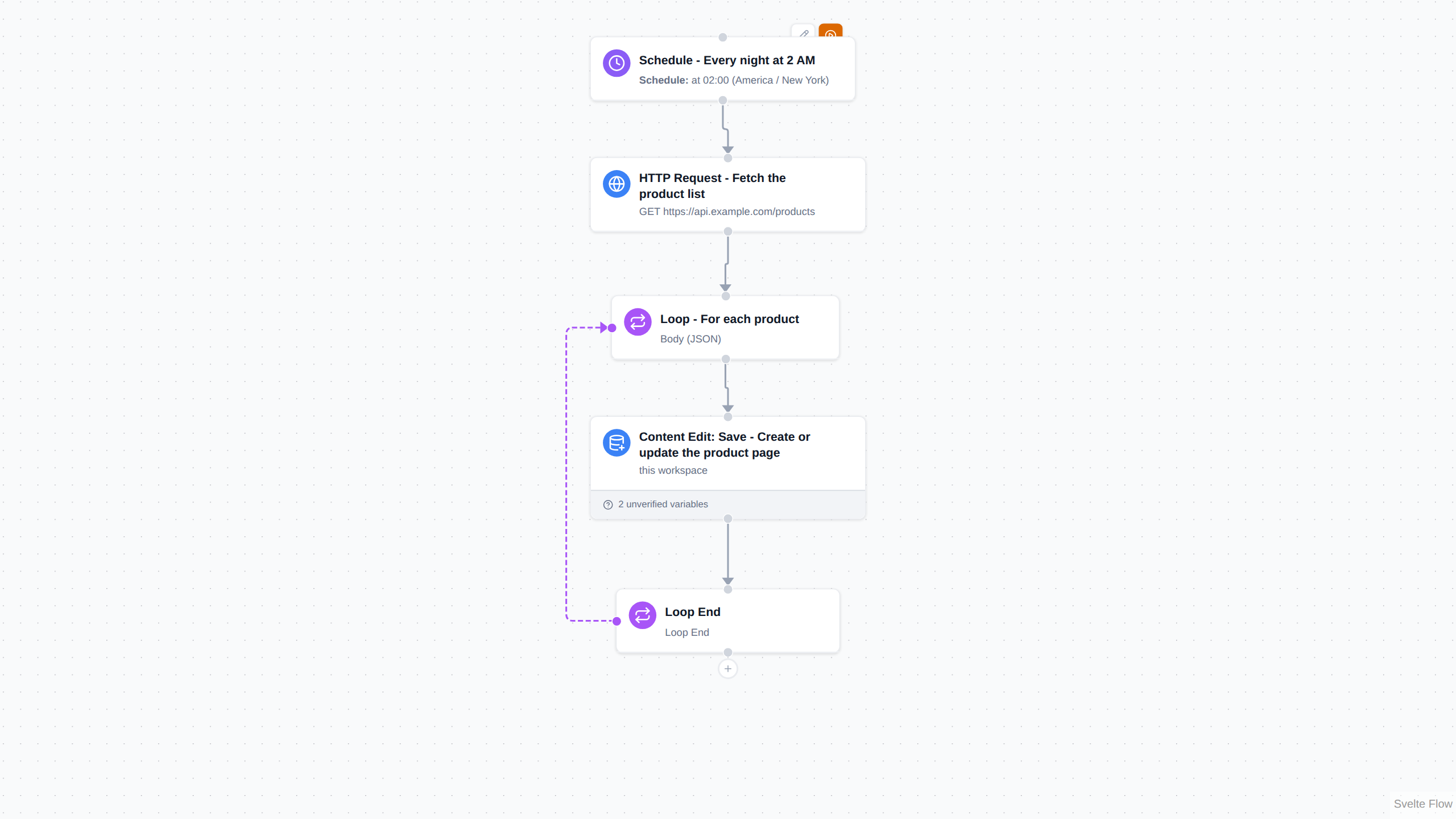
A scheduled trigger starts the run, and a loop handles each item.
The building blocks
Where to start
New here? Getting started walks you through your first automation in a few minutes. The rest of the guide is for dipping into.