Loops and iteration
A loop repeats a section of the flow once for each item in a list. Everything else in an automation happens once per run; a loop is how you say "do this part again for every one of these."
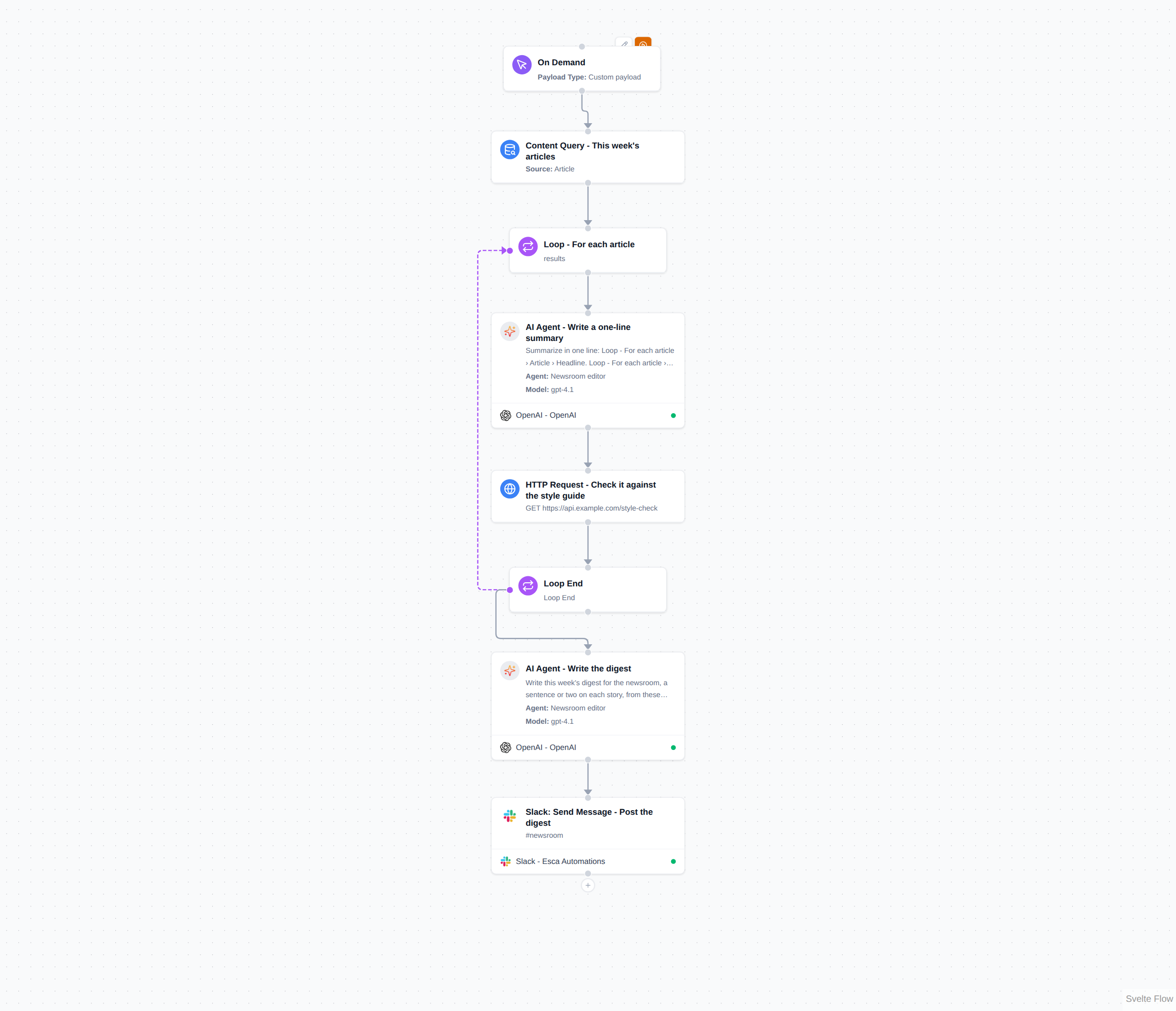
To add one, hover over an edge, click + and select Loop. The editor adds a matched pair, a Loop node where the repeated section begins and a Loop End node where it ends, already connected. The nodes you place between them are the loop body, and the body runs once per item. The editor won't let you save a Loop without its Loop End.
Loop and Loop End are documented here rather than in the catalog, because they only make sense as a pair.
The Loop node
The Loop node resolves the list, then runs the body once per item.
| Field | What it does |
|---|---|
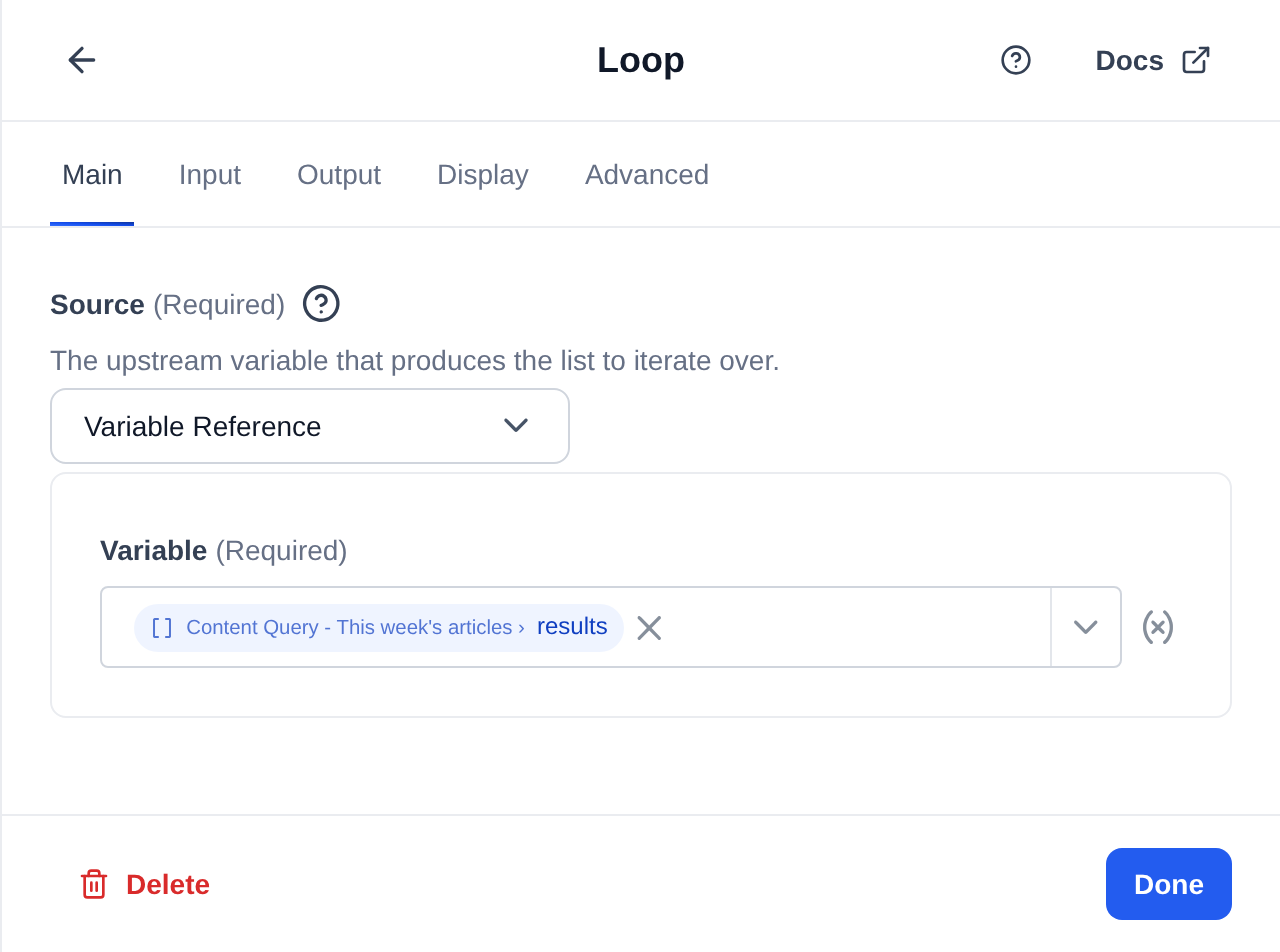
| Source | The list to repeat over, usually from an earlier step: a query's results, an HTTP response, a list a Script built, or what an earlier loop collected. |
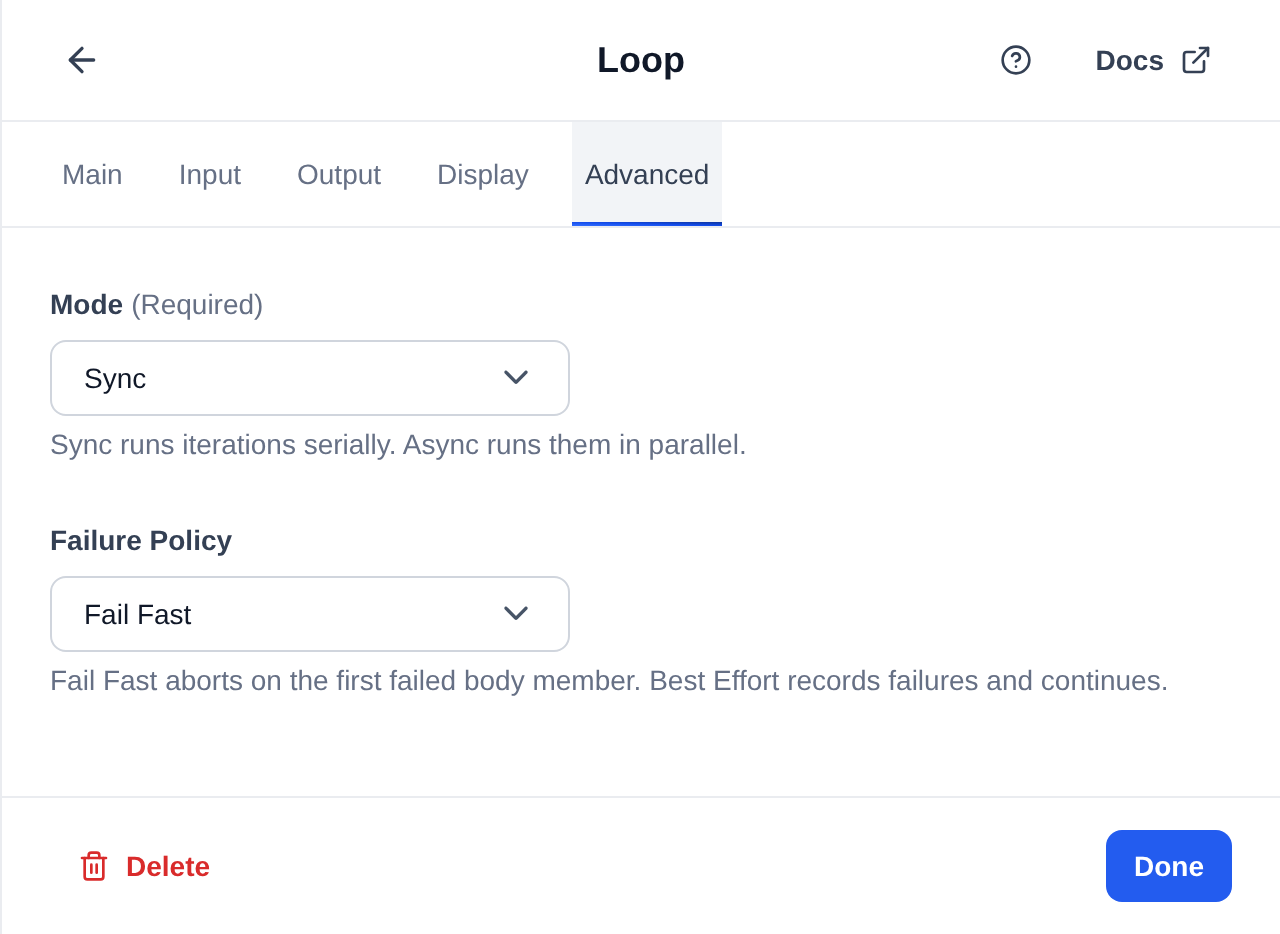
| Mode | On the Advanced tab. Sync, one item at a time, is the default; Async runs them all at once. |
| Failure Policy | On the Advanced tab. What happens when one item's body fails: Fail Fast, the default, stops the loop; Best Effort records the failure and carries on. |
One at a time or all at once
Sync runs the items in order: item two doesn't begin until item one has finished. Choose it when each pass builds on the last, or when the system you are calling can't take several changes to the same thing at once. Async starts every item together and finishes far sooner on a long list; choose it when the items are independent. Async items can't see each other's results and finish in no particular order. Nothing else differs: both produce the same records and report the same way.
Fail Fast or Best Effort
| Policy | When an item fails | Choose it when |
|---|---|---|
| Fail Fast (default) | The loop stops. No further items run, and the run ends as Errored. | A half-finished list would be worse than a stopped run, since you couldn't tell which half was done. |
| Best Effort | The failure is recorded and the remaining items run. | Finishing the other items matters more than stopping, and the work is safe to repeat, so a later run can complete what is still outstanding. |
Either way, which items failed is recorded per item, and the counts arrive on the Loop End so a later step can branch on whether everything completed.
Inside the loop body
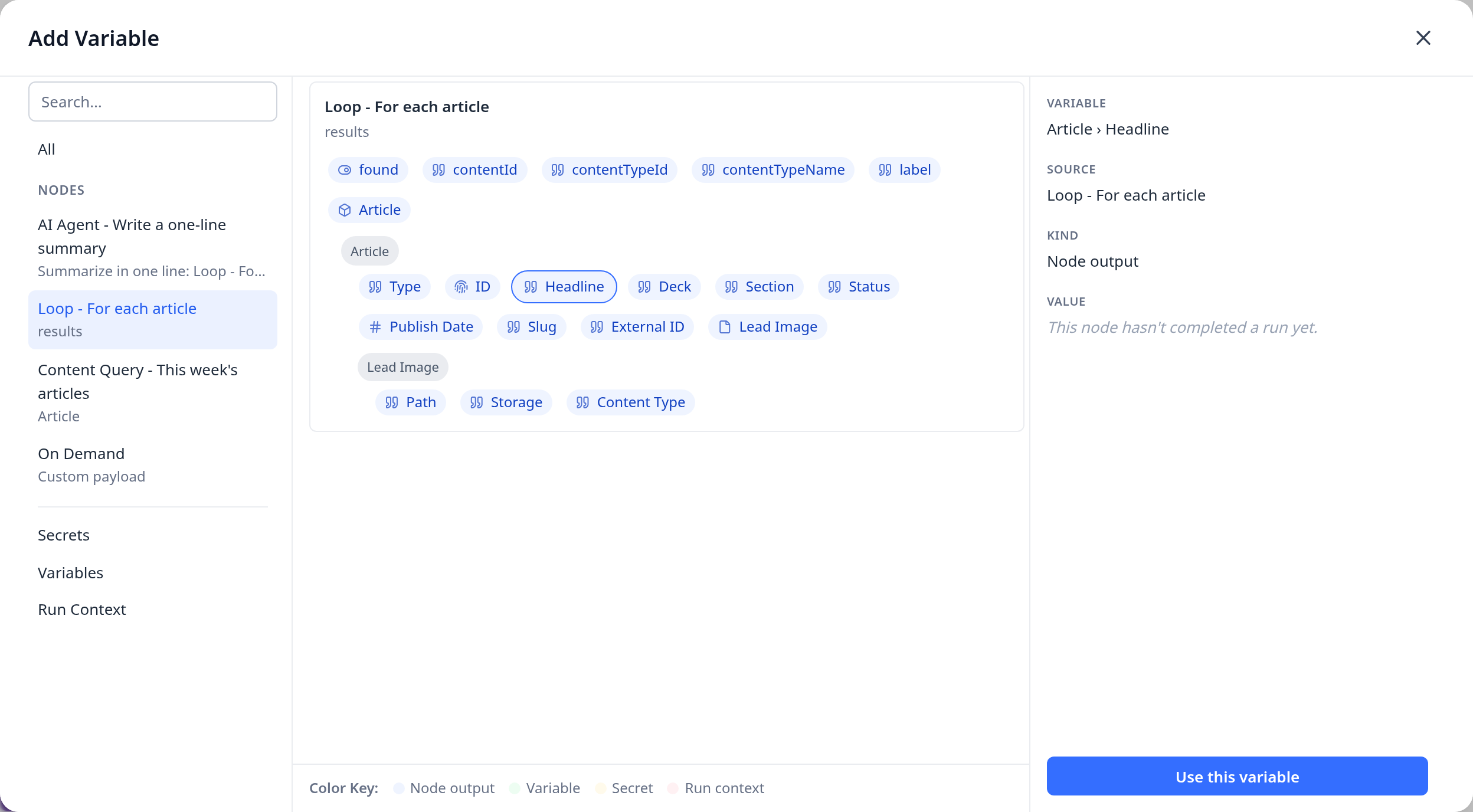
Within the body, the Loop node's output is the current item. Reference the Loop node through the variable picker and you get this pass's item, with its fields listed as if it were any other step's output. Every node between the pair is configured exactly as it would be outside one; the only difference is that the value it reads changes each time around. Body nodes can also read anything from before the loop, which is the same on every pass.
Loops nest. A loop inside another loop's body runs its own full set of passes per outer item, and each body node reads the loop it is directly inside for its current item.
When the item's fields don't appear
The picker lists the item's fields only when the list has a known shape: a step declared it, a Path Extraction mapping took it from a run its path was picked from, or a Script has a shape taken from a run. To loop over a list inside an HTTP response, either set the Loop's Source to a Path Extraction such as json/questions, or map the list on the HTTP Request step with an output mapping and loop over that, picking the path from a run either way. When the fields can't be listed, a note under Source says why; until then, pass the whole item on with a Node Output mapping.
Looping over a list inside each item
To loop over a list inside each item, such as each question's options, set the inner Loop's Source to a Variable Reference and pick the list from the outer Loop in the variable picker. The picker offers every field any of the outer list's items had. Don't use a Path Extraction from the outer Loop here: it reads one item from one past run, which may not have had the list.
Watching a loop run
While a loop runs, the Loop card shows an iteration counter in place of a status badge. Once the run has finished, step through the passes with the arrows beside it: each one shows that pass's statuses across the body, so you can see which pass a failure happened on.
The Loop End node
The Loop End node closes the pair. When every item has finished, or the loop has stopped under Fail Fast, the flow continues from here, once, with a summary: Iterations, how many items the loop ran over; Succeeded, how many completed; and Failed, how many didn't. Because those are declared in advance, a condition after the loop can branch on partial failure while you are still building.
Collecting results
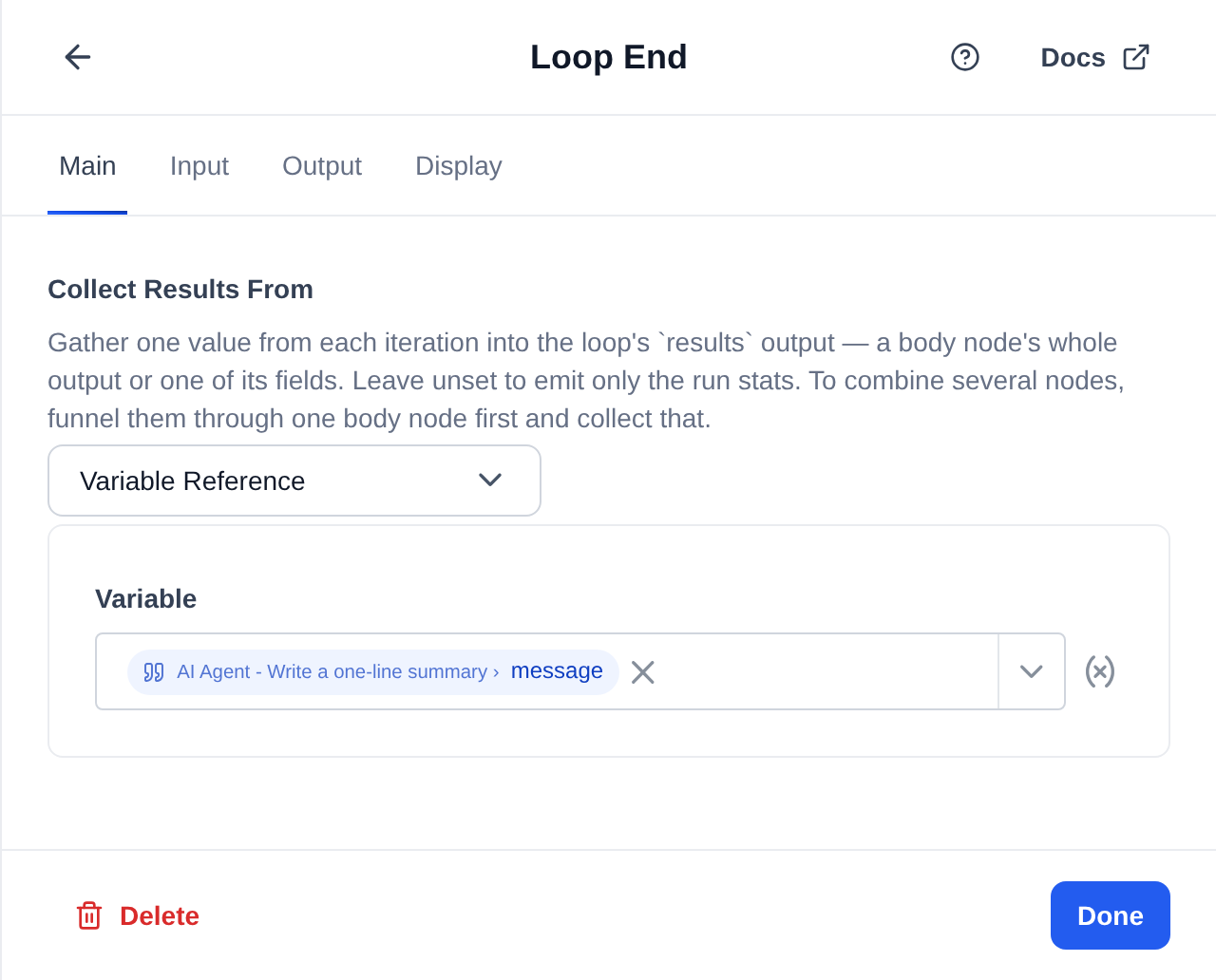
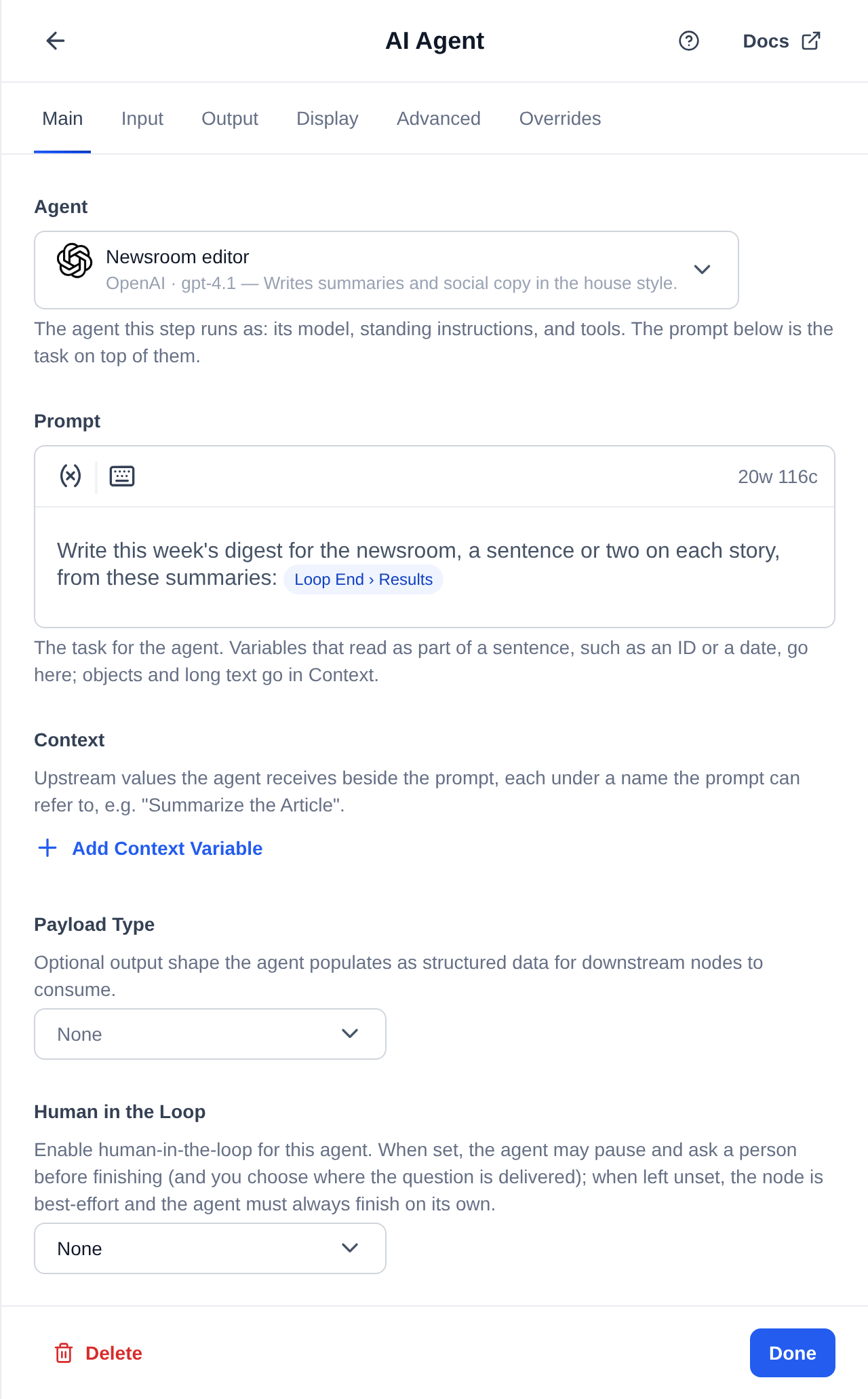
By default a step after the loop sees only the counts, not what any pass produced. If the loop summarized fifty articles, the summaries themselves are the point. Set Collect Results From to a body node's output, one field of it, or one of its output mappings, and the Loop End gathers that value from every pass into a results list, in order. Passes that didn't complete are left out, so under Best Effort the list holds exactly the successes. One later step can then take everything the loop produced at once, such as an AI step that writes a digest from all fifty summaries, which a message then posts.
How large a list can be
A loop plans all of its passes when it starts, so a very long list would ask the run to grow without limit. A run may expand to at most 10,000 step executions across all of its loops, counting every pass of every body node: a loop over 100 items with 5 steps inside uses 500. A loop that would push the run past that fails at once, naming the limit, before doing any of the work. The limit is the total for the run, so a nested loop or a wide body reaches it on a shorter list, and it is set by the platform operator (see Limits). The usual fix is to narrow the source: filter the query, page the results, or split the work across runs.