Conditions and branching
A condition routes the flow. Where an action does something, a condition decides what happens next: it looks at the data passing through it, answers a yes-or-no question about it, and sends the run down one of two paths.
Add one by hovering over an edge, clicking + and selecting Condition.
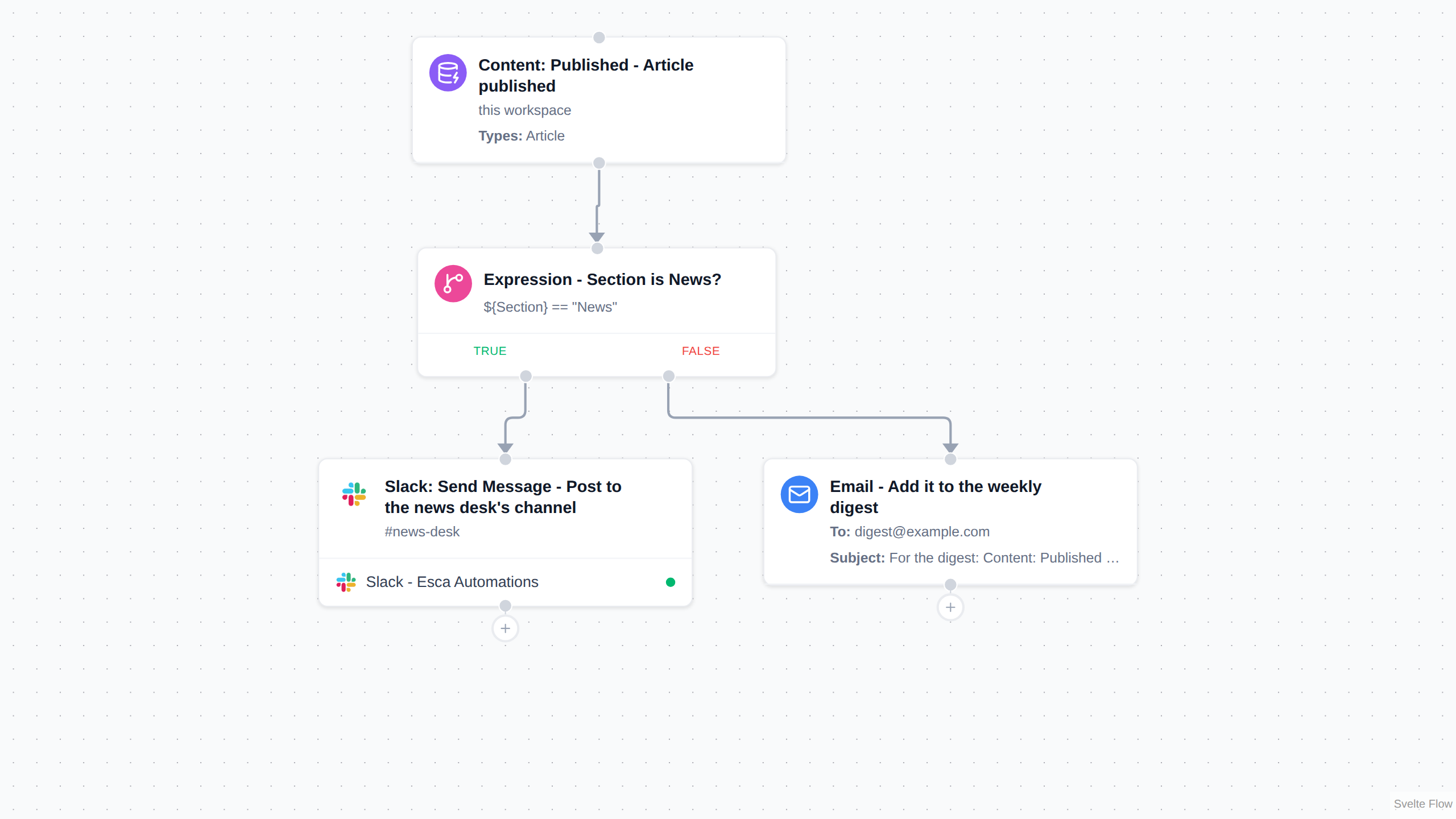
True and false
Every condition has two outputs, true and false, and you connect a different branch of nodes to each. The condition changes nothing about the data; both branches start from exactly the same values.
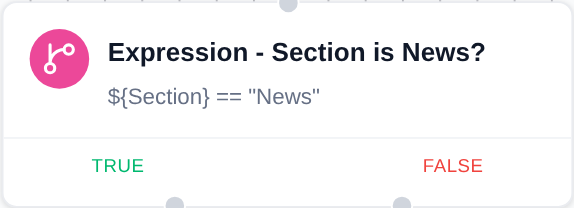
The two branches don't have to be symmetrical. A condition with nothing connected to false simply ends the run on that side. The run isn't a failure; it just stops there. That is the usual shape for a guard: continue if the data is interesting, quietly do nothing if it isn't.
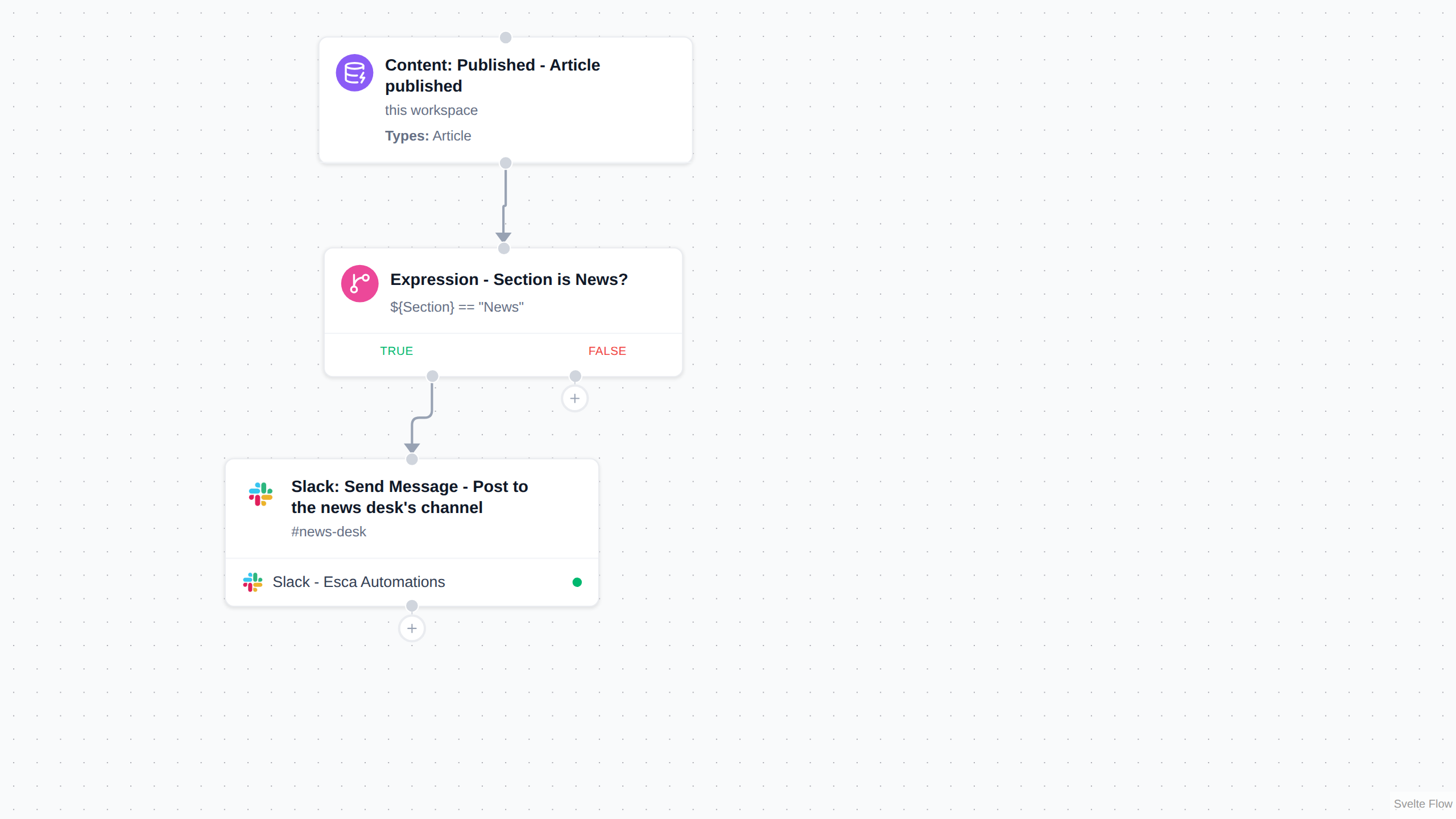
What happens to the branch not taken
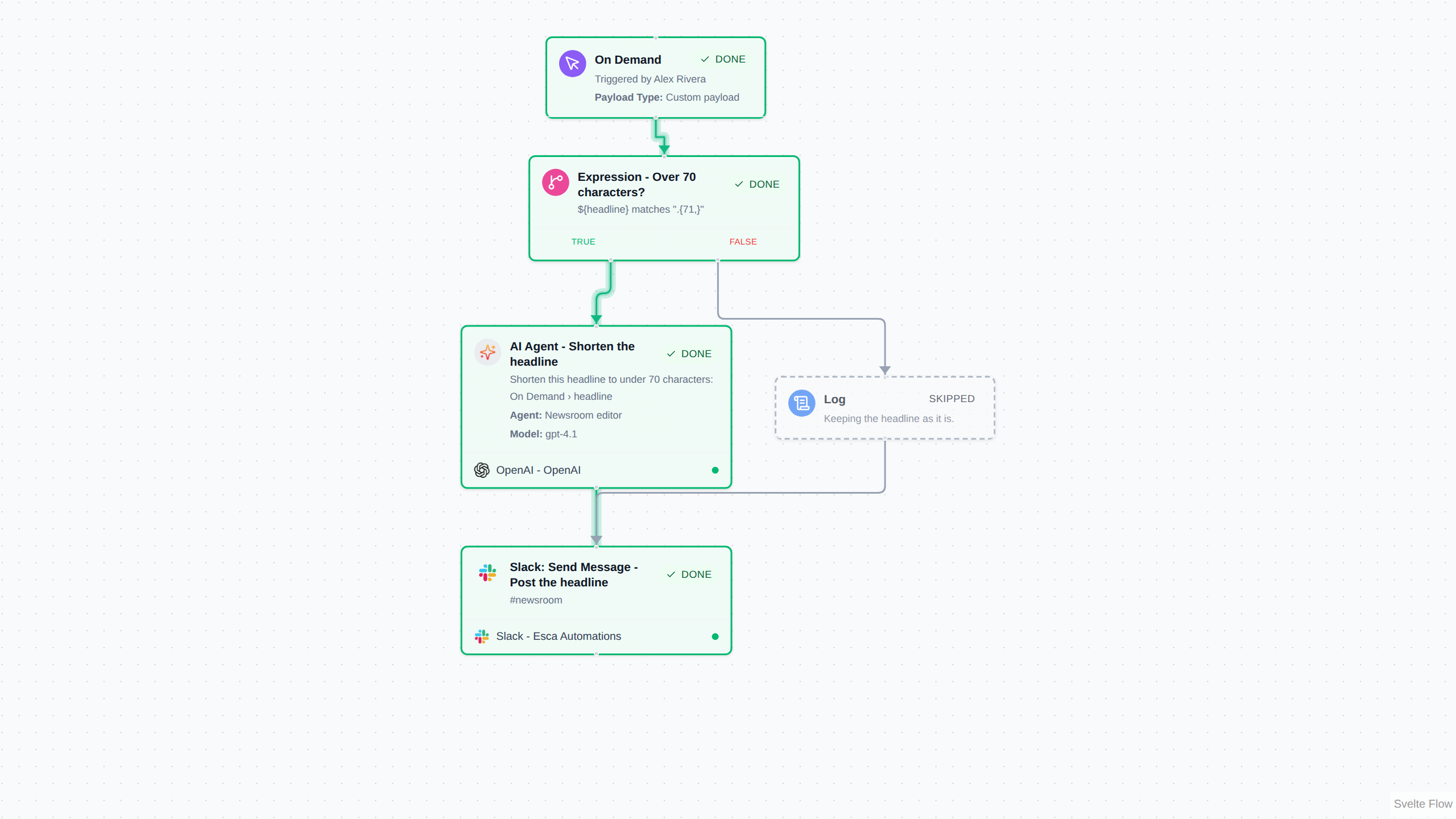
Once a condition routes, every step on the other side is marked Skipped. Three rules cover it:
- Skipped isn't a failure or a success. It records that the step was never reached, and that is what the run history shows for the whole untaken side.
- Skipping carries on down the branch: the step after an untaken output skips, then the one after it, and so on. You don't have to end a branch; it stops because nothing arrives.
- Skipping stops where the branches meet. A step needs only one of the steps before it to reach it, so a step both branches lead to runs whichever way the condition went. That is how you rejoin: connect both branches to the same step.
A step on a skipped branch produces no output, so avoid reading from one branch in the other. A condition on a skipped branch is itself skipped, and takes both of its own branches with it.
Using a value from whichever branch ran
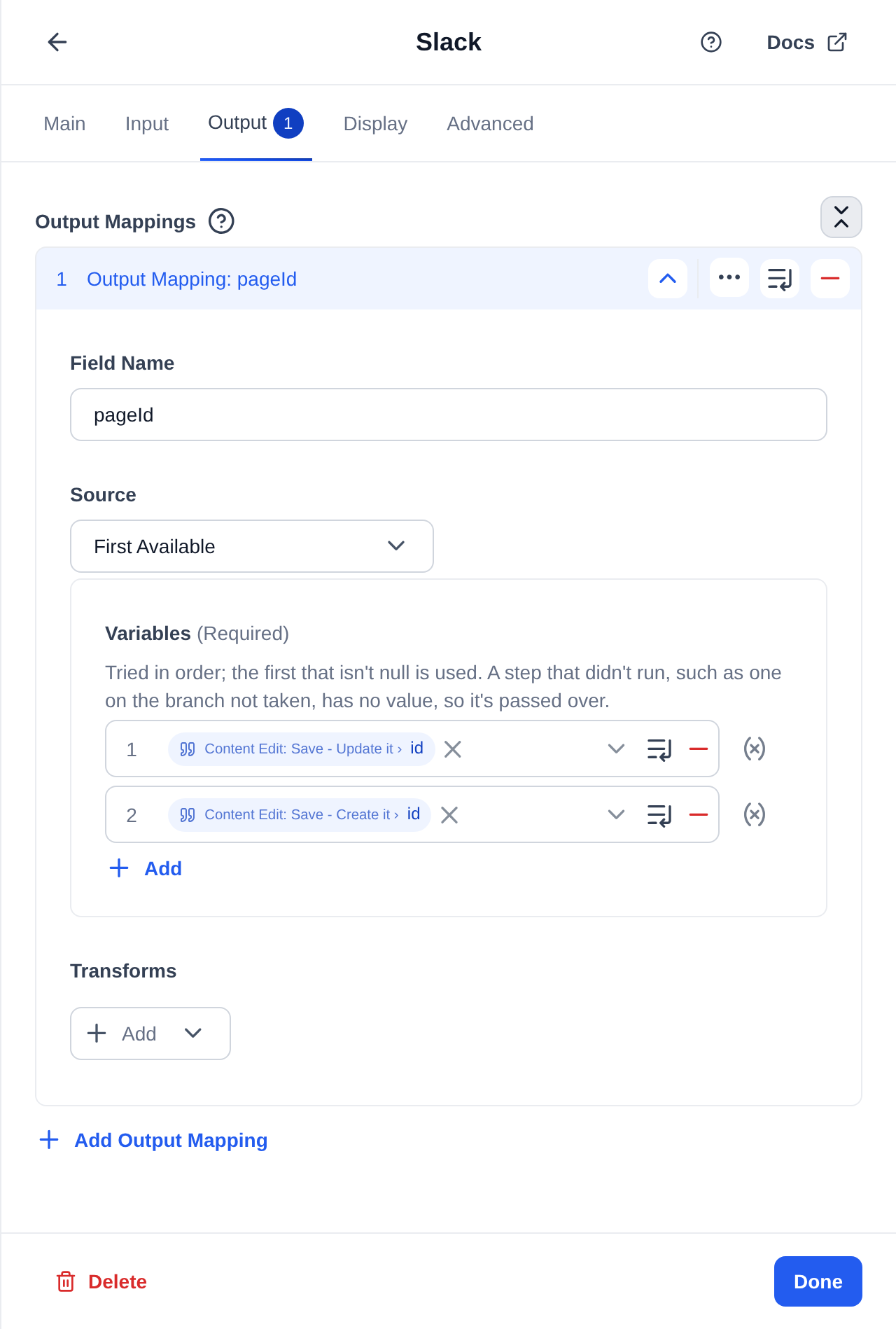
Where the branches rejoin, the next step often needs a value either branch could have produced, such as the id of the content one branch created and the other updated. Give the rejoining step an output mapping whose source is First Available and list the value from each branch. The mapping takes the first one that has a value, so the branch that didn't run is passed over, and every later step reads the one name.
Chaining conditions
A condition after a condition simply decides on the branch that reached it. Two in a row give three outcomes, three give four, and so on. This is often clearer than one large expression, because the run history then shows which decision the flow turned on rather than only that a single expression came out false.
The condition types
Every condition ships with the product; no integration adds one of its own. They differ in how they reach their yes or no.
Building an expression
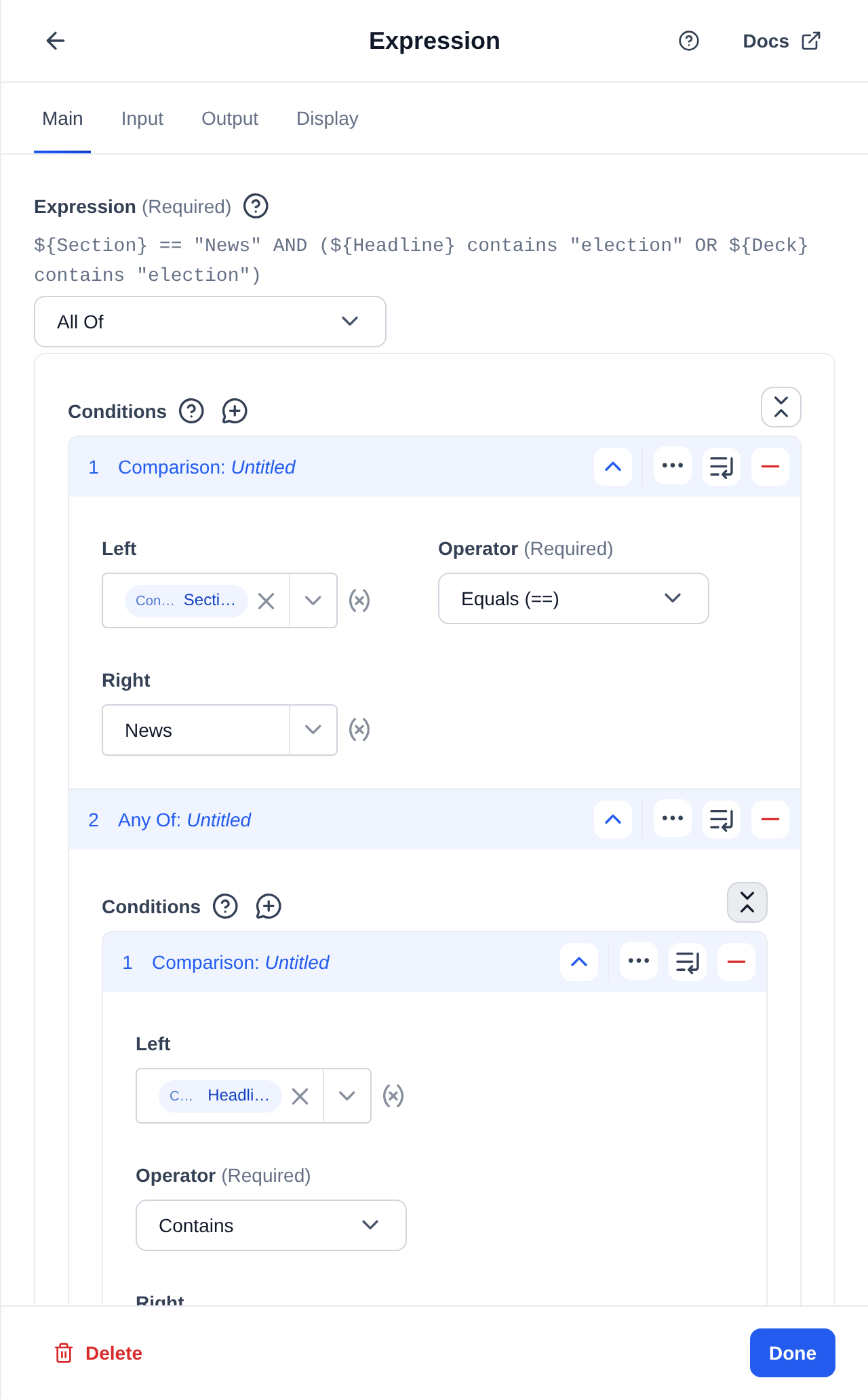
An Expression is built from comparisons, which you can group with All Of, Any Of and Not. Each comparison tests a value from the run, such as a content field, against another value or a fixed one: Equals, Contains, Greater Than, Is Empty, and so on. For example, "section equals News, All Of it with Any Of headline contains election or deck contains election" routes true for news stories about the election. The editor shows the expression in plain words as you build it.
Every operator and what it tests, including what counts as empty and what counts as having a value, is on the Expression page. A trigger's Fire Condition is built the same way, so learning it once covers both.