Approval
Pauses the flow until a person approves or rejects, then routes down the matching branch: true for approve, false for reject. Reach for it as a sign-off gate before publishing, sending, spending, or anything else that needs a person's decision before the flow continues.
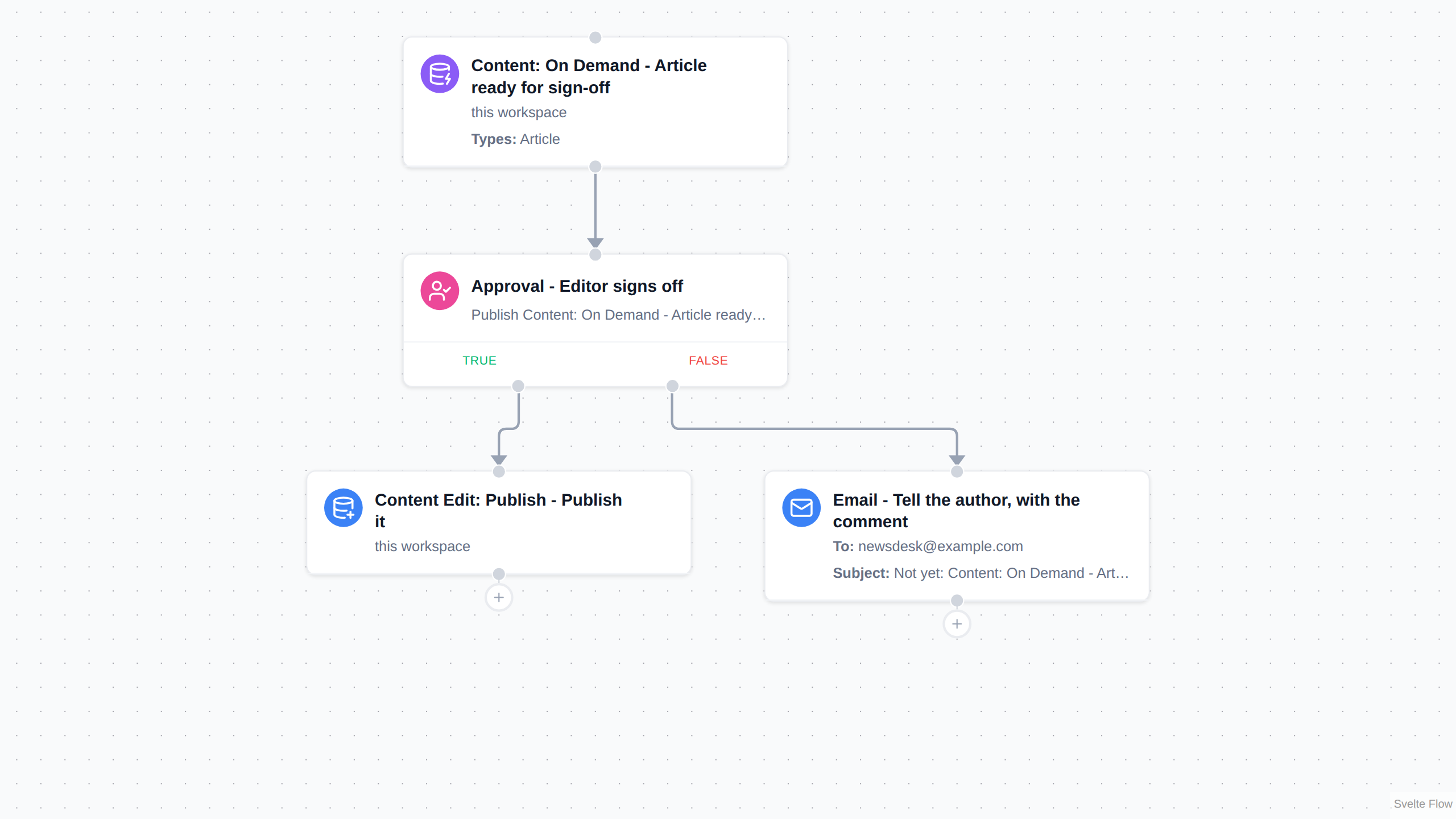
The request appears on the Approvals page, and in Slack or Microsoft Teams when the Deliver To field names a channel. Anyone with the Approve capability, Operator and above, can answer; see Roles. The first answer from any channel wins. If nobody answers before the Awaiting Input Timeout, the step fails instead of routing down either branch; see Human in the loop.
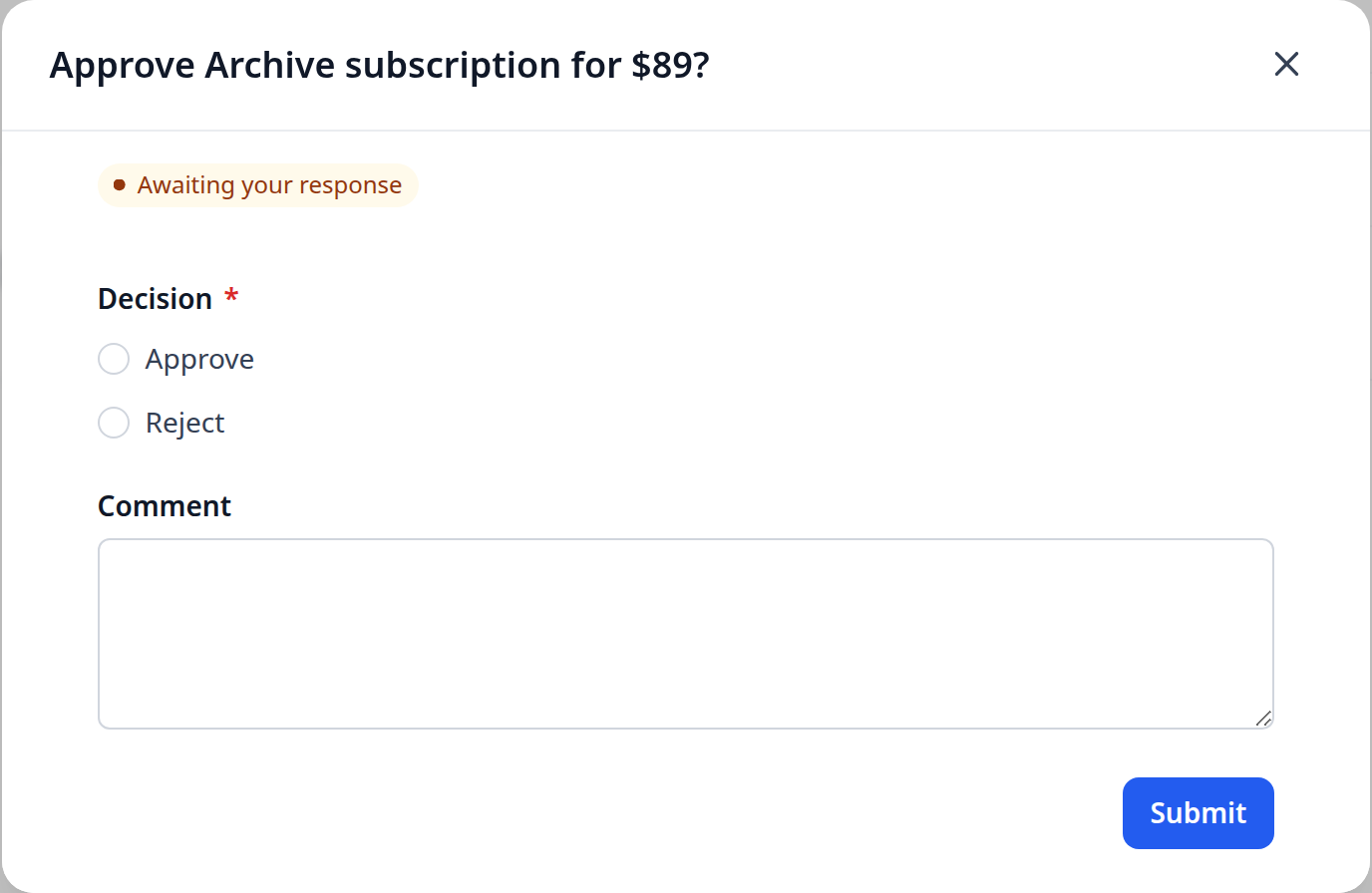
Fields
| Field | Description |
|---|---|
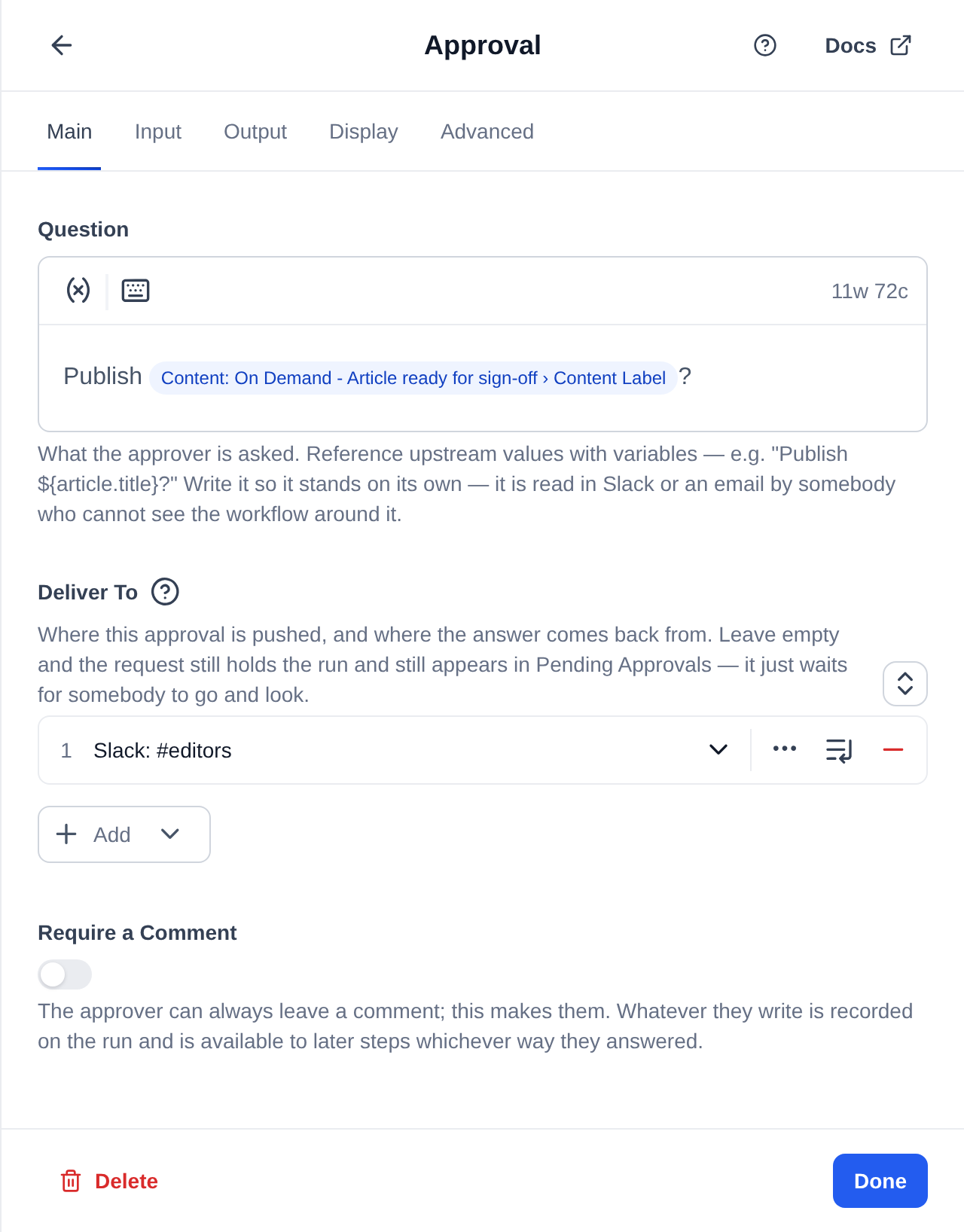
| Question | What the approver is asked. Accepts variables, inserted as chips from the field's variable picker, so it can read "Publish Budget update 2026?" with the article's title filled in. Write it so it stands on its own: the approver may read it in Slack or Teams without seeing the flow around it. |
| Deliver To | Where the request is pushed and where the answer comes back from: a Slack or Microsoft Teams connection. Leave it empty and the request still holds the run and still appears on the Approvals page; it just waits for somebody to go and look. |
| Require a Comment | The approver can always leave a comment; this makes them. Whatever they write is recorded on the run and available to later steps whichever way they answered. |
| People Only | On the Advanced tab. An AI assistant connected to the workspace's MCP server can relay the decision of the person it acts for; this stops that, so the answer has to come from a person, in the tool or on a channel. |
What later steps see
| Field | When it's there |
|---|---|
| approved | Whether the approver approved. On a timeout the step fails instead and produces no output. |
| comment | Only when the approver left one; always present when Require a Comment is on. |