Write File
Writes text, a value as JSON, or a copy of another file to a new file, and outputs it for later steps to read back, attach or send on. Reach for it to produce a report or an export, to hand another system a file it expects as an upload, or to bring a file that only exists behind a URL into storage.
Fields
| Field | Description |
|---|---|
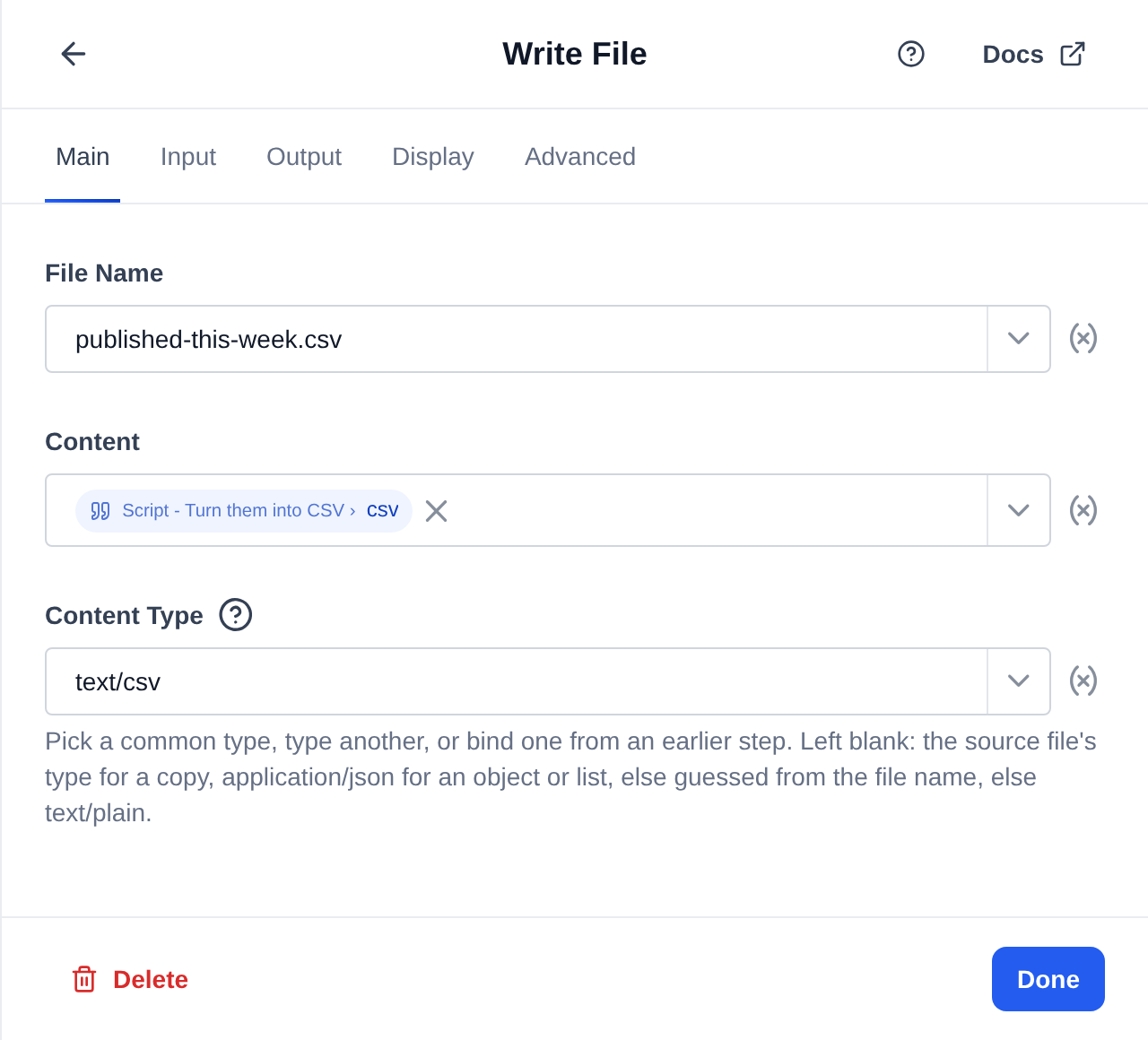
| File Name | The name the file is saved under, with its extension, such as report.csv. Mix in variables to name the file after the data it holds. |
| Content | What to write. Text is written as typed; an object or list from an earlier step is written as JSON; a file from an earlier step is copied. |
| Content Type | The file's type, such as text/csv. Blank, it is the copied file's type, application/json for an object or list, a guess from the file name's extension, or else plain text. |
The Write File reference describes each field in the same words its Guide icon shows in the flow editor.
Example: a report posted to Slack
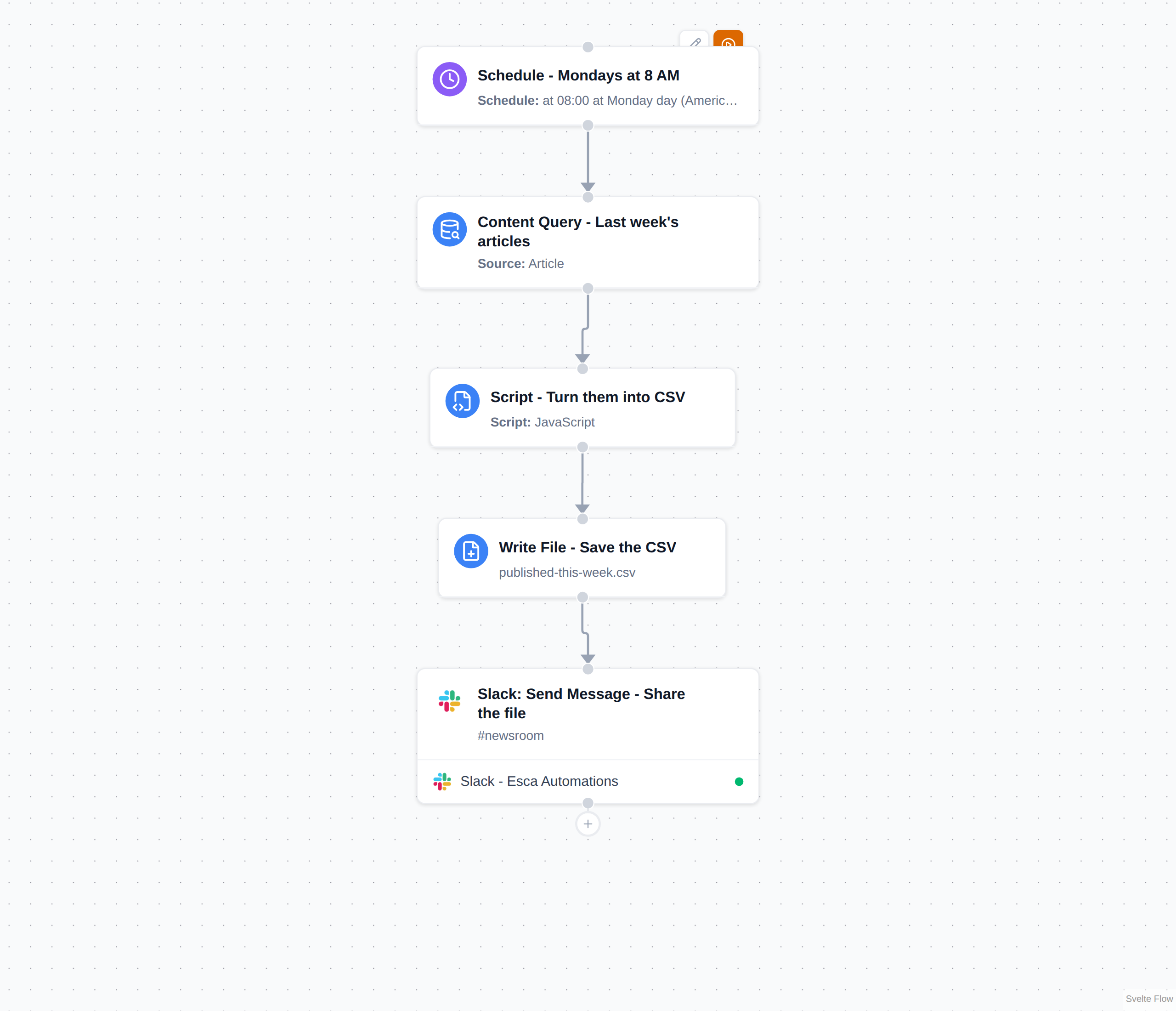
A weekly automation on a Schedule that lists last week's published articles with a Content Query, turns them into CSV lines with a Script, writes them to published-this-week.csv with this step, and posts the file's Public URL to the desk's channel with a Slack message. A loop that writes one file per item can bind Content Type to whatever an HTTP response came back with.
What later steps see
| Output | Description |
|---|---|
| File | The written file, shown in the variable picker as a file, with its Public URL where the storage offers one. This is what a step with a file input, such as Read File, binds to. |
| Size (bytes) | How many bytes were written. |
| File Name | The name the file was written under. |
Behaviour
Text is written as UTF-8. The file is stored with the automation's own files in the workspace's storage.
The file lives as long as the run that wrote it. Once the run is archived, which happens after its automation has 100 newer finished runs by default, the file is deleted and its Public URL stops working. Don't share that URL as a permanent link; send the file somewhere that keeps it, or copy it into the CMS. See Limits.