Log
Writes a line to the run log and continues. Reach for it to see what a value holds at a point in the flow, to label which path a run took, or to give a first automation a visible result without touching any other system.
Fields
| Field | Description |
|---|---|
| Message | The line written to the log. Mix text with variables to record a value in context. |
| Variables | Values from earlier steps recorded alongside the step for inspection, without being written into the message line. Use it for whole objects, which read poorly inline; a variable in the message is written as flat text. |
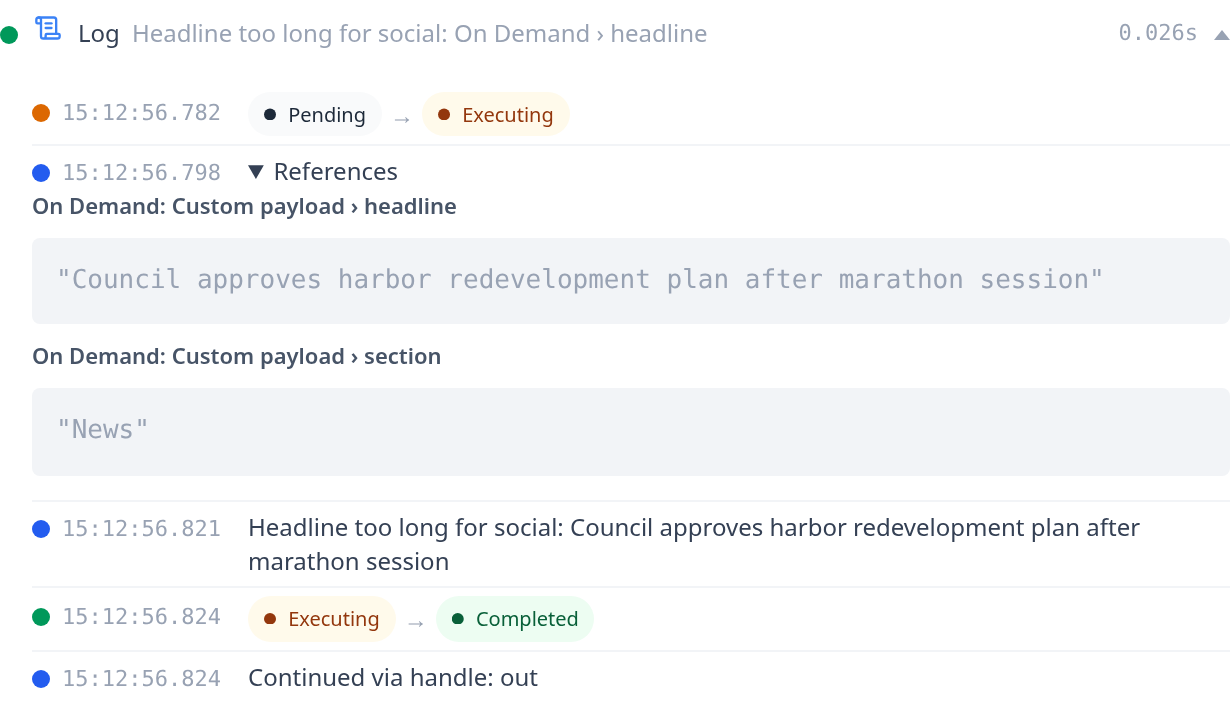
For example, on the "too long" branch of a headline check, a Message of Headline too long for social: {Run form › Headline} writes a line such as "Headline too long for social: Council approves harbor redevelopment plan after marathon session" to the run's log.
What later steps see
Nothing. A Log step adds no output of its own, and later steps keep referencing earlier outputs unchanged, which is what makes it safe to leave one in a live automation.
Behaviour
The message is written at the Info level, so it shows under the Info filter in the log viewer; the level can't be chosen. It lands in the run's own log, not the server's, so it is visible to whoever reads the run and to nobody else.
Values listed under Variables don't appear in the message line. They are listed under References on the step's Input tab in the run view, where you can expand them.