Automation
Runs another automation from inside this one, through that automation's On Demand trigger. Reach for it to keep shared steps in one automation that several others call, such as a "Notify the desk" automation that posts to Slack and files a ticket, instead of copying those steps into each.
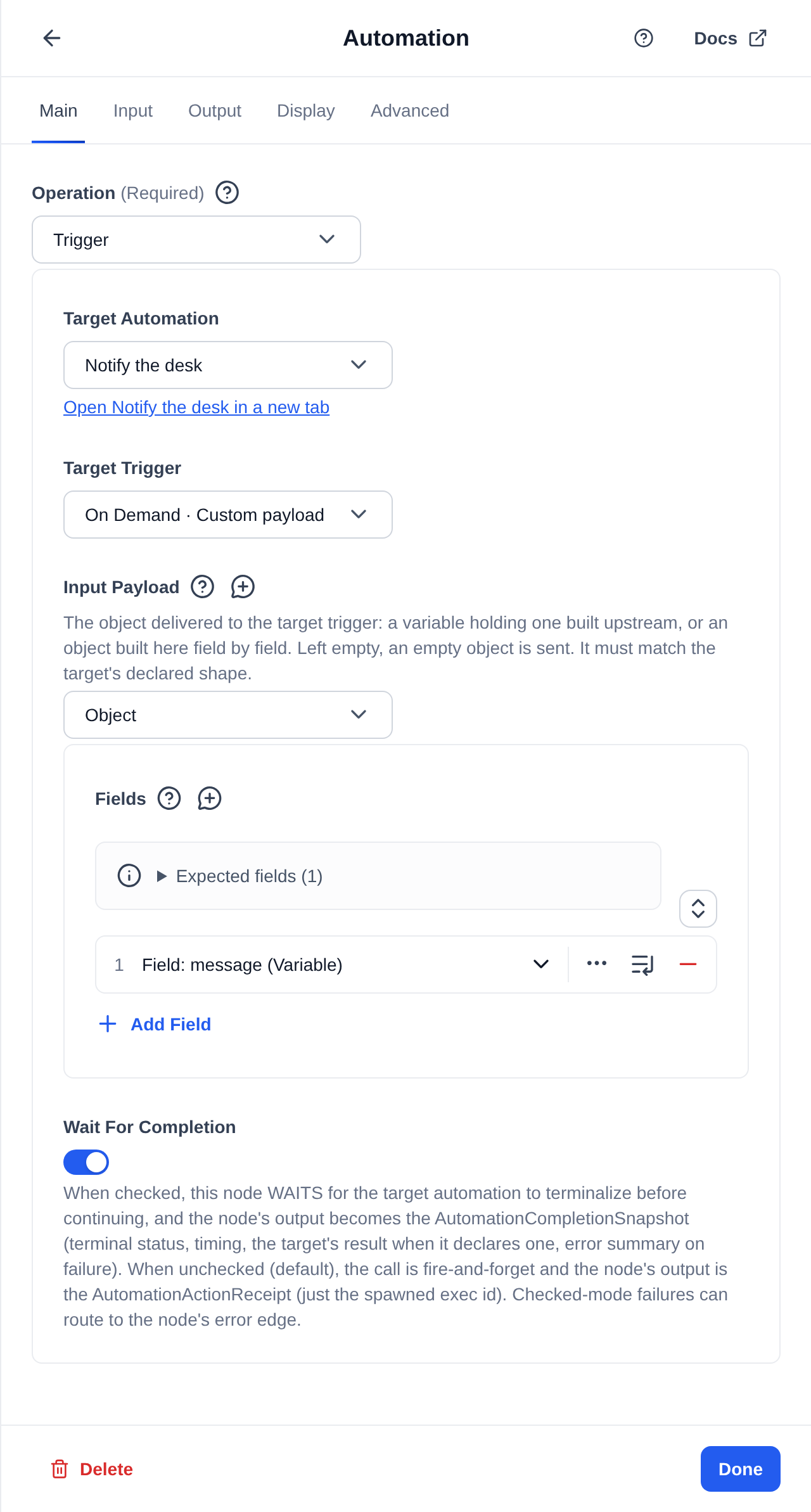
Fields
The action carries one operation, Trigger, with these fields:
| Field | Description |
|---|---|
| Target Automation | The automation to run. |
| Target Trigger | Which of the target's On Demand triggers to start. |
| Input Payload | The input the run starts with. When the trigger defines a Content Type payload, this is that type's form. When it defines a Custom Shape payload, choose Variable to pass an object an earlier step built, or Object to build one here field by field; see Building a custom payload. |
| Wait For Completion | On, this step waits for the target to finish and reads its outcome. Off, the default, it starts the target and continues at once. |
Building a custom payload
Each field of an Object has a name and a value, and each value is one of these:
- Variable: a value from an earlier step, passed as it is. Text holding JSON is read as JSON where the target's shape expects an object or a list, and text holding a number or true/false is read as one where the shape expects it.
- Text: typed text, with variables placed inside it. Where the target expects a number or true/false, type it as text, such as
42ortrue. - Object: a nested object, built the same way.
- List: a list of values, each built the same way.
Leaving the payload empty sends an empty object. A payload that doesn't match the target's shape fails the step when it runs, with a message naming what is wrong.
Upgrading from versions before 1.14.0
A payload written as JSON before 1.14.0 is converted to fields when its automation is next saved. JSON that can't be converted stays in a deprecated Input Payload (JSON) field and is sent as written until a payload is built in its place.
What later steps see
- With Wait For Completion off: a receipt identifying the run that was started.
- With it on: the target's outcome, timing, any error summary and, when the target declares a Result, its
result, offered field by field in the variable picker. A failed target fails this step, so the step's error path can handle it.
When the target is off
Turn the target on before you publish the caller. A live run fails at this step when the target is turned off, with a message saying so. A dry run doesn't catch this: when you run the caller yourself as a dry run, a target that is off runs as part of that dry run, so the two can be built and tested together. A dry-run caller always runs its target as a dry run.
Tips
The target automation and the trigger inside it are stored as a pair. Deleting the target clears both, and the step then fails at run time saying what is missing rather than blocking the save, which is what lets an imported automation whose target doesn't exist here be saved and repaired.