The admin area
The server module adds an Esca Automations item to the CMS's Admin navigation. It is where an administrator sees what the platform has registered on this CMS: the webhooks that deliver content events to Content triggers, and the on-demand registrations behind the buttons on content edit pages. Everything in it is written by the platform and rewritten each time a trigger is saved there, so the area reads rather than edits; the one action on this side is removing a record whose platform is gone.
Opening the area takes its own permission, granted through the Areas section of a role, and the same permission governs opening a webhook record directly. Its left rail has two sections, Webhooks and On-Demand Registrations, and every link inside the area opens in the main pane.
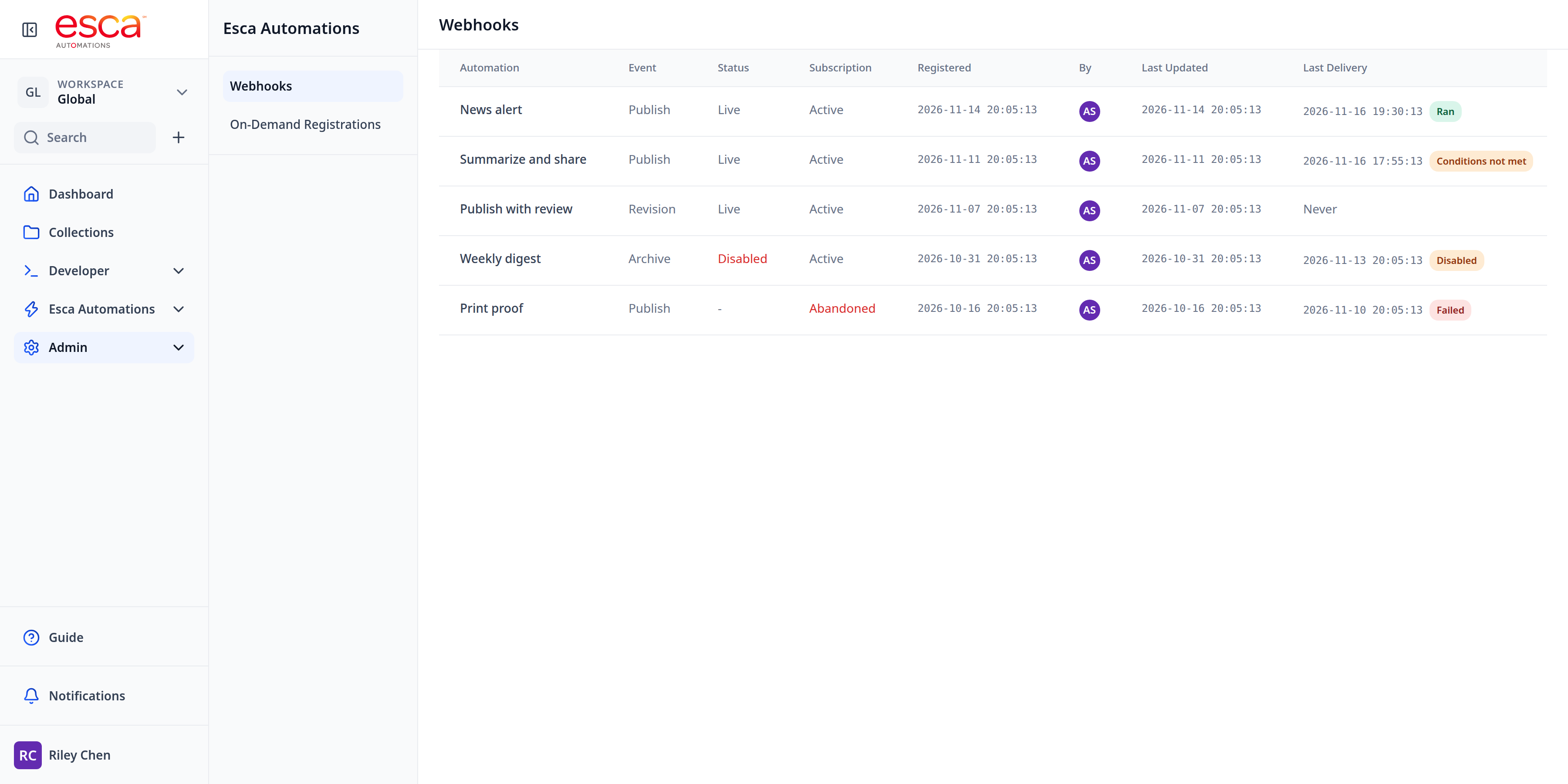
Webhooks
A webhook is a Content trigger's subscription to this CMS's content events, registered by the platform when the trigger is saved. The list shows every webhook, newest first.
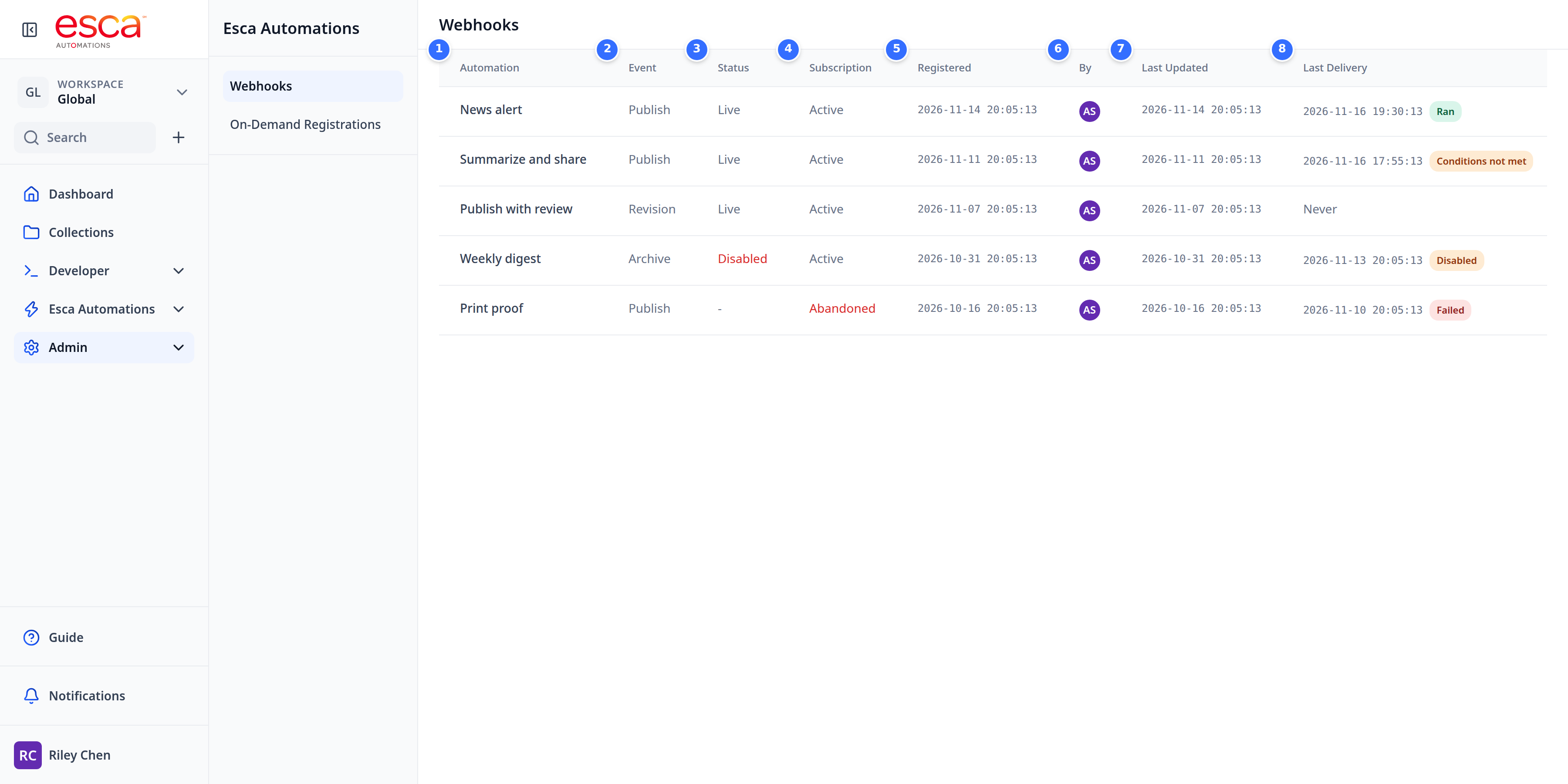
- Automation: the automation the webhook belongs to, opening the webhook.
- Event: the content event it subscribes to.
- Status: whether the automation can run, Live, Disabled or Archived, as the platform last said.
- Subscription: Active, or Abandoned.
- Registered: when the platform registered it.
- By: who registered it; hover over the avatar for the name.
- Last Updated: when the platform last saved it.
- Last Delivery: when it last delivered and what became of that delivery, or Never.
An automation that is turned off (shown here as Disabled) or archived still receives deliveries and runs nothing, which is why the platform's own delivery log can show events arriving with no run.
A webhook whose deliveries are refused five times in a row stops delivering and is listed as Abandoned. That is the usual answer to "why did my Content trigger stop firing?": the platform refused its deliveries, because the connection that registered it was archived or deleted (its shared secret is gone), or the trigger was deleted without its webhook being removed. To revive it, save the trigger again on the platform. Only refusals count: a platform that is timing out or returning errors is treated as temporarily unwell, since stopping the webhook would lose events for good.
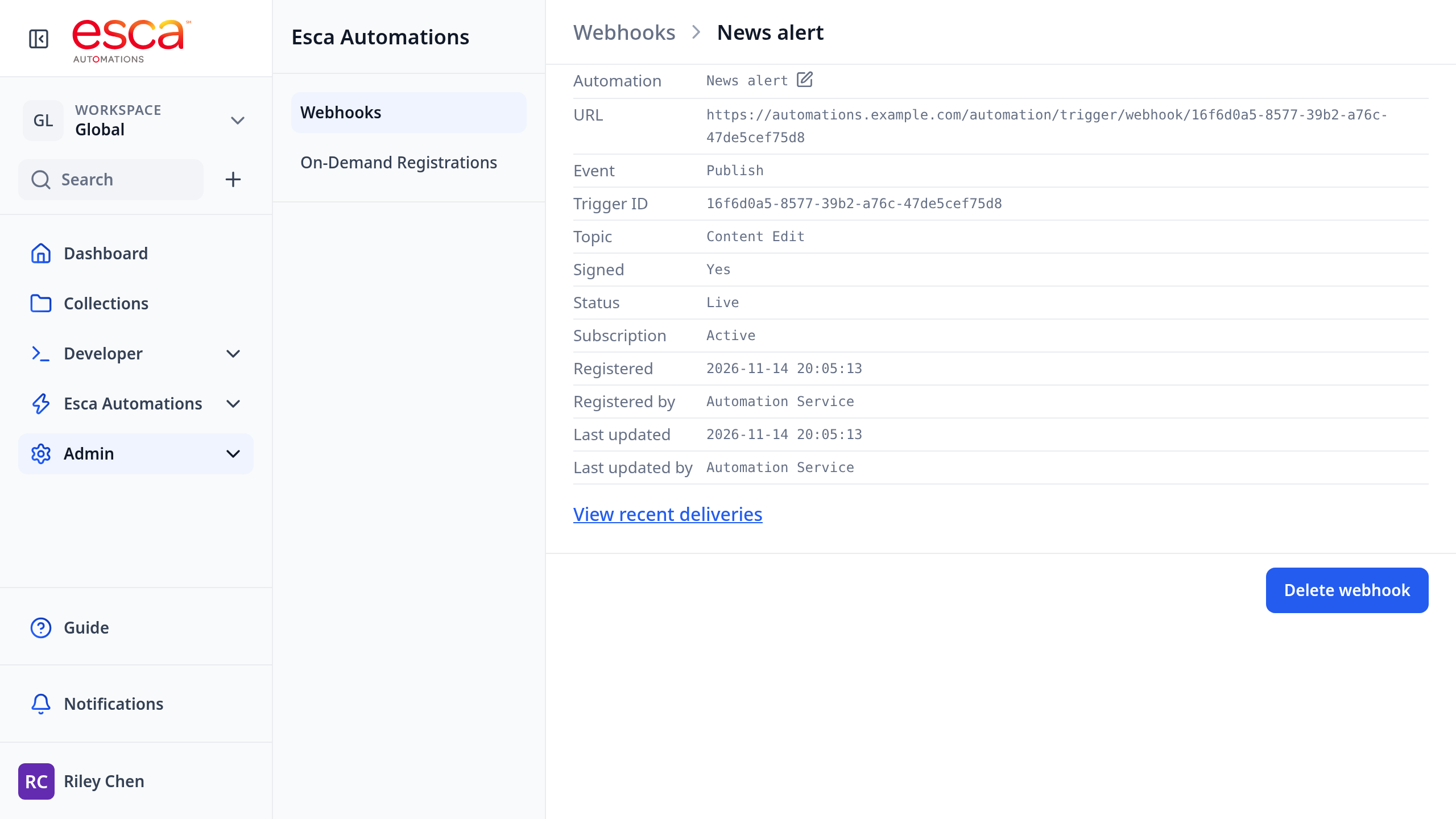
Opening a webhook shows what the platform wrote: the automation, with a link to edit it on the platform; the URL deliveries post to; the event; whether deliveries are signed; its status and subscription; and who registered and last updated it. Two actions sit beneath: View recent deliveries, and Delete webhook, for a webhook whose platform is gone and which would otherwise keep posting to a URL nobody is listening at. The platform pushes a deleted webhook back the next time its trigger is saved.
Deliveries
Each webhook keeps its 100 most recent deliveries, newest first. A delivery is recorded each time a subscribed content event fires and the CMS posts to the platform, whether a real event or a replay.
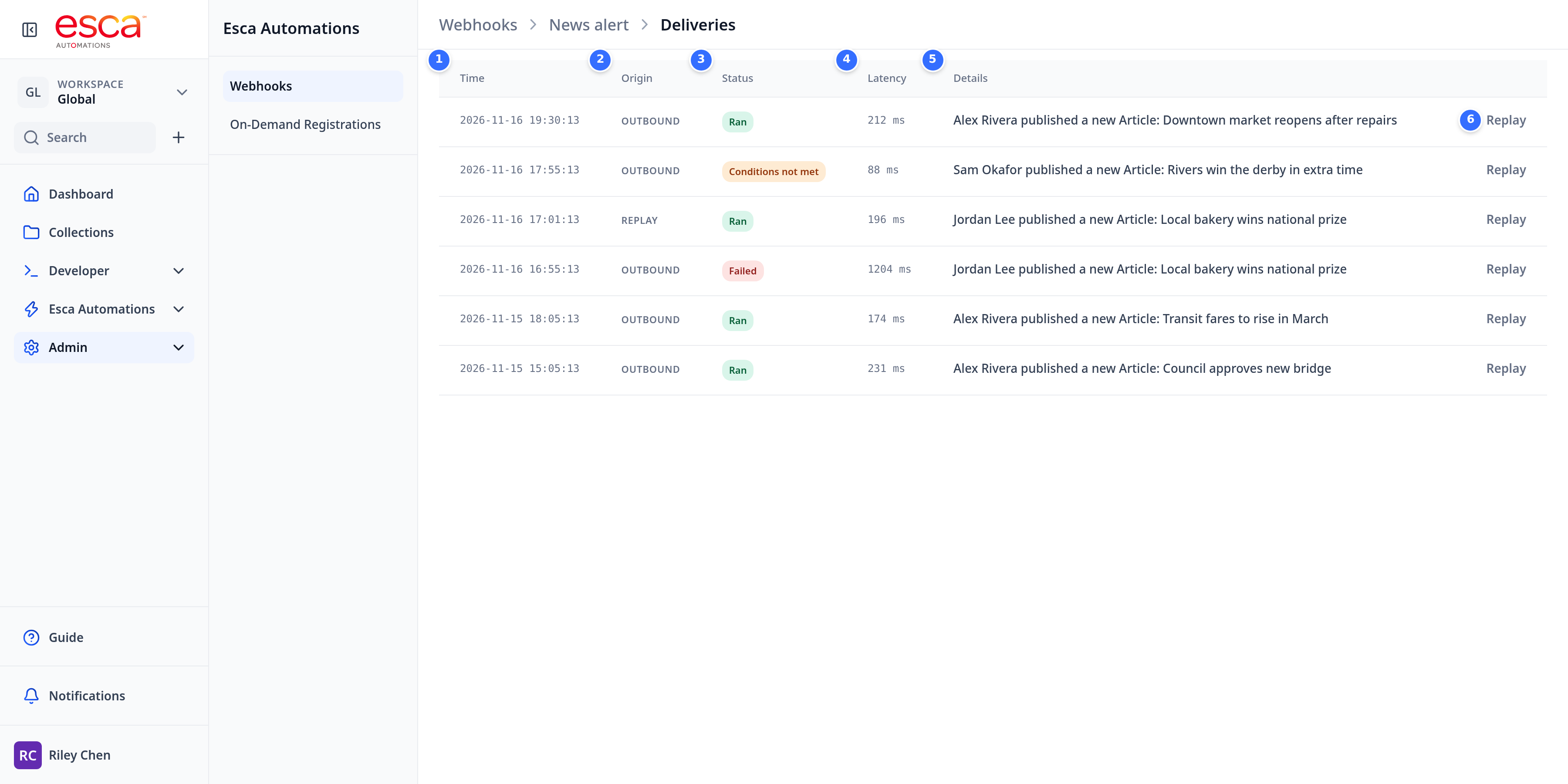
- Time: when it was sent.
- Origin: OUTBOUND for a content event, REPLAY for one sent again from this log.
- Status: what became of it.
- Latency: the round trip, in milliseconds.
- Details: the event as the CMS described it, linking to the request body, the signature header, any error and the response.
- Replay: sends the delivery again.
A delivery's status says what the platform did with it:
| Status | Meaning |
|---|---|
| Ran | The platform started a run. |
| Skipped | The platform accepted the event and deliberately ran nothing. The pill names the reason in place of the word: Disabled, Archived, Replay only, Conditions not met when the trigger's fire condition didn't match, or Acknowledged. |
| Failed | An error or a response other than success. Hover over the pill for the HTTP status. |
Replay sends the stored body to the platform again, as a new delivery marked REPLAY, and starts a run there if the platform accepts it. It is unavailable for a body the log had to truncate, since a shortened body no longer matches its signature.
This Replay re-sends the event from the CMS, so the platform treats it as an ordinary delivery: an automation that is turned off, or a trigger set to Replay Only, still runs nothing. It is one of three features called Replay. The one on a trigger's Deliveries screen on the platform re-runs a stored delivery there, even when the automation is off; see Deliveries. The Replay button on a finished run only animates its history and runs nothing; see Replaying a finished run.
On-Demand Registrations
An on-demand registration is a Content trigger's On Demand event, pushed to this CMS so that its button appears on the edit page of the content it matches. The list shows every registration, newest first.
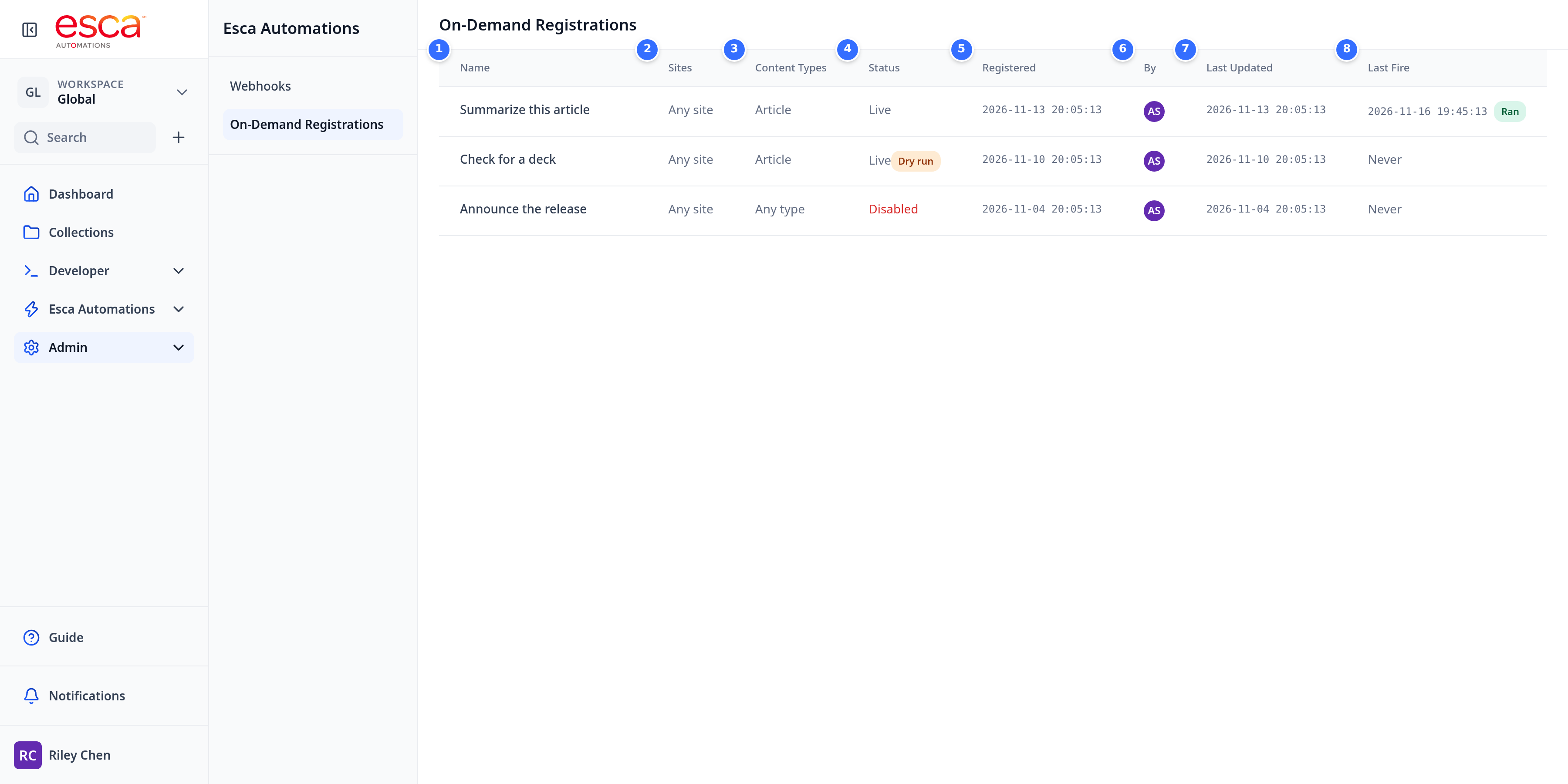
- Name: the button's label, opening the registration.
- Sites: the sites the button appears on, or Any site.
- Content Types: the content types it appears on, or Any type.
- Status: whether the automation can run. A registration pushed by a draft or a revision carries a Dry run badge: its runs are dry runs.
- Registered: when the platform pushed it.
- By: who pushed it; hover over the avatar for the name.
- Last Updated: when the platform last pushed it.
- Last Fire: when the button was last pressed and what became of that press, or Never.
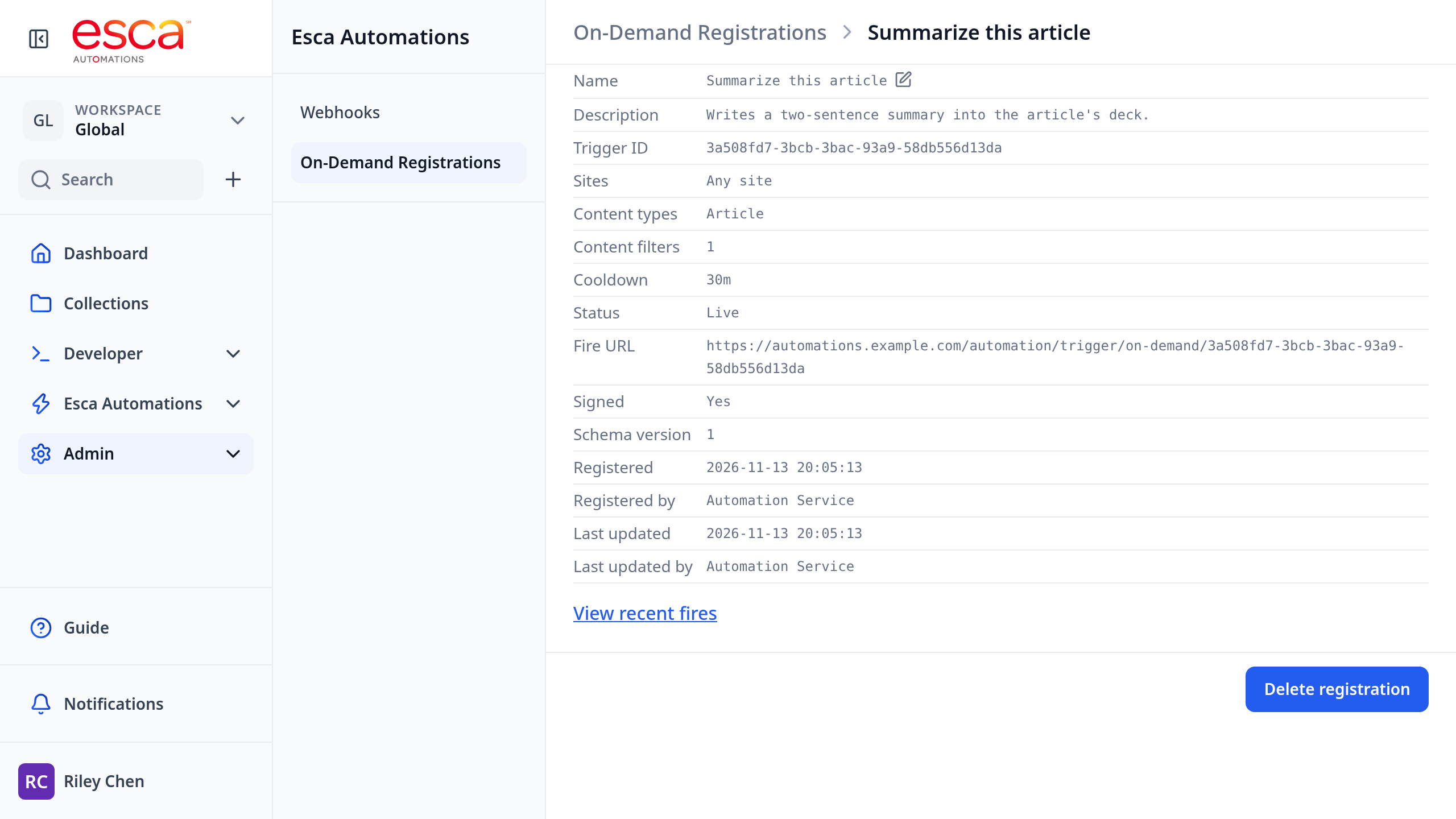
Opening a registration shows the name, with a link to edit the automation on the platform; its description, sites, content types and content filters; its cooldown, the minimum gap between presses on the same content; whether it is a dry run, and of which live trigger; the URL a press posts to; and who registered and last updated it. Beneath are View recent fires and Delete registration, which takes the button off the content it matches until the platform pushes the trigger again, for a registration whose platform is gone or whose button should stop appearing now rather than after a change upstream.
Fires
A registration's fires are every attempt a person made to run it from a content edit page, not only the ones that started a run, since a refused or failed press is what an administrator comes here to explain.
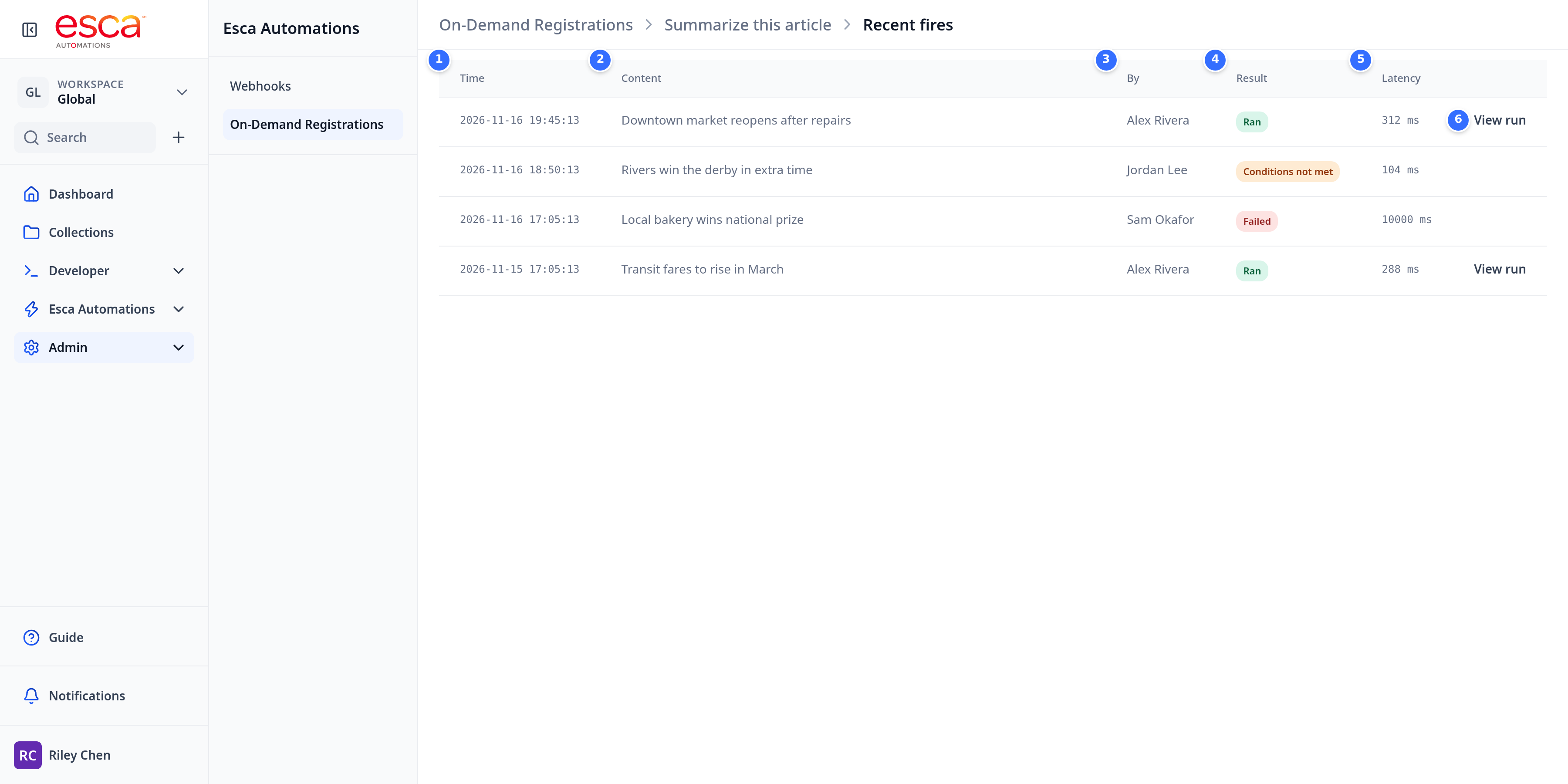
- Time: when the button was pressed.
- Content: what it was pressed on.
- By: who pressed it.
- Result: Ran, Failed, or, for a press the platform ran nothing for, its reason, such as Conditions not met.
- Latency: the round trip, in milliseconds.
- View run: opens the run the press started, on the platform.
The same log, narrowed to one piece of content, opens over that content's edit page from the info button beside the automation in the Esca Automations panel, as Recent runs on this content.
Related
- Configuring the module: the permission the area needs, and the one the platform works under.
- Content trigger: the platform's own record of the same deliveries, on the trigger's Deliveries screen, and the On Demand event behind each registration.
- Executions: where a run that a delivery or a press started is read on the platform.