Content API
A Script action runs with dari, an object named for Brightspot's data layer, that knows a content model: the content types defined in this workspace, or a connected Brightspot CMS's. It lets a script build and edit content with named types and fields instead of hand-written JSON, and it checks what the script writes as it writes it. A misspelled field name, a value of the wrong type, or a reference where the field expects an embedded object fails on the line that caused it, rather than silently producing content with a field missing.
Use it when a step has to assemble content that no single form can express: composing an article body from several sources, reshaping an import feed into your own types, or applying the same edit across every embedded object in an asset. For anything simpler, a Content Edit action with Simple Fields is less work.
- Building content—
RecordandRecordRef: naming a type, setting and reading fields, embedded objects and references, editing what a Content Fetch returned, and the fields a modification adds. - Values—what each kind of field accepts, and the classes for locations, areas, files, and dates and times, with the time zone they are read in.
- Rich text—
RichText: building the editor's markup from text, marks, lists and elements, converting plain prose, and reading or rewriting what is stored. - Differences—
diffandtoDifferences: the map of changes a Save takes, how it is compared, and a run that changes nothing.
Every class and function is listed with its signature in the dari reference.
Which content model
The Script step's Brightspot Connection decides which content model dari knows. Leave it empty for the content types defined on this workspace's Content Types page, or pick a Brightspot connection for that CMS's content model. A script works against either, as long as the types and fields it names exist there. A Script condition gets the same object for the workspace's content types, with no connection to set.
Save what the script builds with a Content Edit action pointed at the same place: no connection for the workspace, the same Brightspot connection for a CMS.
With a Brightspot connection, reading the content model costs one call to the CMS the first time a script names a type. That result is cached, so a script naming the same types on every run pays for it once rather than every time. This workspace's own content model is read directly, with no call.
Everything dari exports
Everything is on one global named dari. Take what you need from it at the top of the script:
1const { Record, RecordRef, RichText, diff } = dari;
| Name | What it is | Described under |
|---|---|---|
Record | A content asset: one of your types, with its fields | Building content |
RecordRef | A pointer to an asset that already exists | Embedded objects and references |
Location | A latitude and longitude | Locations and areas |
Region | An area, as circles and polygons | Locations and areas |
StorageItem | A file the CMS can already reach | Files |
LocalDate, LocalTime, LocalDateTime, OffsetDateTime, ZonedDateTime, OffsetTime, ZoneId, ZoneOffset, Year, YearMonth, MonthDay | A date or time value of one of the kinds Brightspot stores | Dates and times |
Duration, Period | An amount of time, and an amount of calendar time | Building values directly |
RichText | A rich-text value | Rich text |
RichTextElement | One element in rich text, such as a pull quote or an image | Rich-text elements |
InlineText | A run of text with marks, for a paragraph, a line or a list item | Building markup |
Differences | What diff and toDifferences return | Differences |
DariError | What dari throws, so a script can tell its complaints from its own bugs | When something is wrong |
dari.diff(before, after, options) | Works out what changed between two versions of an asset | Differences |
dari.uuid() | A fresh id, for a record you are about to build | Creating an asset |
dari.type(identifier) | The named type as the content model describes it: its id, its fields, and what may be named in as | Naming a type |
dari.timeZone | The zone a plain Date is read in, UTC unless set | Choose the time zone |
Handing content to a Save
Most content scripts exist to hand a Content Edit action Save the values it writes. The Save's Values field takes Differences: an object of field changes keyed by record id, which is what diff(...) and toDifferences() produce as byRecord. The script never deals with the stored shape, and the Save covers the asset and every embedded object inside it in one piece.
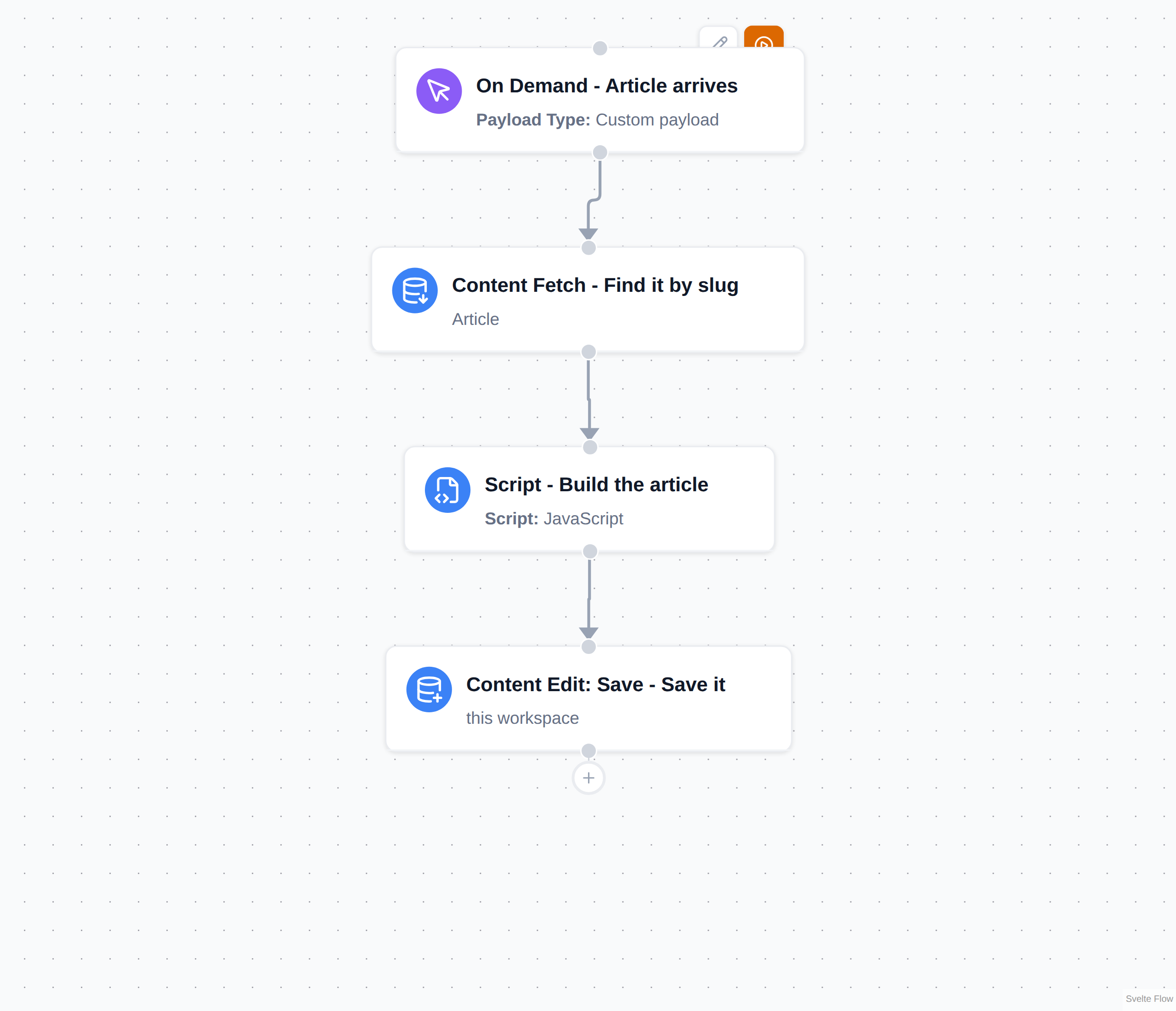
Three shapes cover nearly every content script. Each is a Script step followed by a Save, with the Save's settings given alongside.
- Edit what came in
- Create
- Fetch or create
A Content Fetch reads the asset, the script changes it, and the Save writes only what changed.
1const { Record, diff } = dari;23const article = Record.fromState(payload.values);4article.put("headline", "Storm closes harbor early");56const changes = diff(payload.values, article.toState());78({ changed: !changes.isEmpty, differences: changes.byRecord });
On the Save: Lookup Value bound to the Fetch's contentId, Values set to Differences and bound to differences, and, to edit a revision rather than live content, the same Revision as the Fetch. An Expression condition on changed can skip the Save when nothing changed, which a Save would otherwise report as a failure.
The script builds a new record and hands over all of it. There is nothing to compare against, so toDifferences() rather than diff.
1const { Record } = dari;23const story = new Record("com.example.Story")4.put("headline", input.headline)5.put("lead", new Record("com.example.Caption").put("text", input.caption));67story.toDifferences().byRecord;
On the Save: a Content Type, no Lookup Value, and Values set to Differences and bound to the script's output. The step fills in the new content's own _id and _type from the type you picked and the id the script minted, so nothing in the script has to agree with them.
Use the asset that exists, or make one: update the article with this slug, or import it. It runs as a straight line, with no branch in the automation.
- A Content Fetch looks the asset up by its unique field: Lookup Field
slug, Lookup Value the slug you have, and a Content Type to search within. Finding nothing is a normal result there, not a failure. - The script builds from what came back, either way.
- A Save with the same Content Type, Lookup Field and Lookup Value, Create If Missing on, and Values set to Differences bound to the script's output.
1const { Record } = dari;23const article = payload.found4? Record.fromState(payload.values)5: new Record("com.example.Article");67article.put("slug", input.slug);8article.put("headline", input.headline);910article.toDifferences().byRecord;
Record.fromState keeps the id the asset already has, and new Record(...) mints one. The Save's own lookup then decides: it updates the asset it finds, or creates one under the id the script minted when it finds none. Nothing upstream has to know which case it is in. Use toDifferences() here, not diff: when the asset is new there is no earlier version to compare against, and toDifferences() hands over the whole record either way. A run that changes nothing still succeeds, because a Save with Create If Missing asks for content to exist in a given state, and it already does.
Making the result pickable
The Save's Differences field takes a variable, not typed JSON, and its picker offers only objects, so the script's result has to be something the picker can list. The picker lists what the Script step's output holds: its Output Type when you declare one, otherwise the shape taken from one of its runs with Take shape from a run under Output Type. With neither, there is nothing to list. See What later steps see.
A differences map is keyed by record ids, so its keys are not field names. Take the shape from a run that returned the map, and the step takes it as an Object with no fields, which the picker offers whole under payload; declaring that Output Type yourself does the same before the script has run. Returning the map on its own, changes.byRecord, is the shortest route. Wrapping it, as the first shape above does, gives you something to branch on: take the shape from a run, or declare an Object with changed as a Boolean and differences as an Object with no fields, and both are pickable by name.
Give the step plain values, what toState, toDifferences and diff produce, rather than the dari objects themselves: article.toState() or changes.byRecord, never article. The result is the script's last expression, as everywhere a script runs; see The result.
When something is wrong
Every complaint from dari names the field and what it expected, and it stops the step with the message in the run's log, so a mistake surfaces at the step that made it. To handle one yourself rather than fail the step, catch it:
1try {2article.put(name, value);3} catch (error) {4if (error instanceof dari.DariError) {5console.warn("skipping " + name + ": " + error.message);6} else {7throw error;8}9}
console.log and its siblings write to the step's log, which is the quickest way to see what a value holds mid-script; see Logging. The failures a script shares with every other, and the sandbox's ceilings, are under When a script fails and Limits.
A complete example
Reading an article, tidying every caption in its gallery, stamping where it came from, and saving only what changed:
1const { Record, diff } = dari;23dari.timeZone = "America/New_York";45const article = Record.fromState(payload.values);67for (const slide of article.get("gallery") || []) {8const text = slide.get("text");9if (text) {10slide.put("text", text.trim().replace(/\s+/g, " "));11}12}1314article.as("brightspot.importapi.ImportObjectModification")15.put("externalId", input.wireId);1617const changes = diff(payload.values, article.toState());1819({ changed: !changes.isEmpty, differences: changes.byRecord });