Google Cloud connection
One Google Cloud project, for AI steps to run Gemini on through Vertex AI. In the connection picker it is Google Cloud.
Powers these nodes
No Google-specific nodes yet. It serves the built-in AI Agent action, the AI Judgment condition, and the workspace's default model, anywhere a Provider Account is chosen.
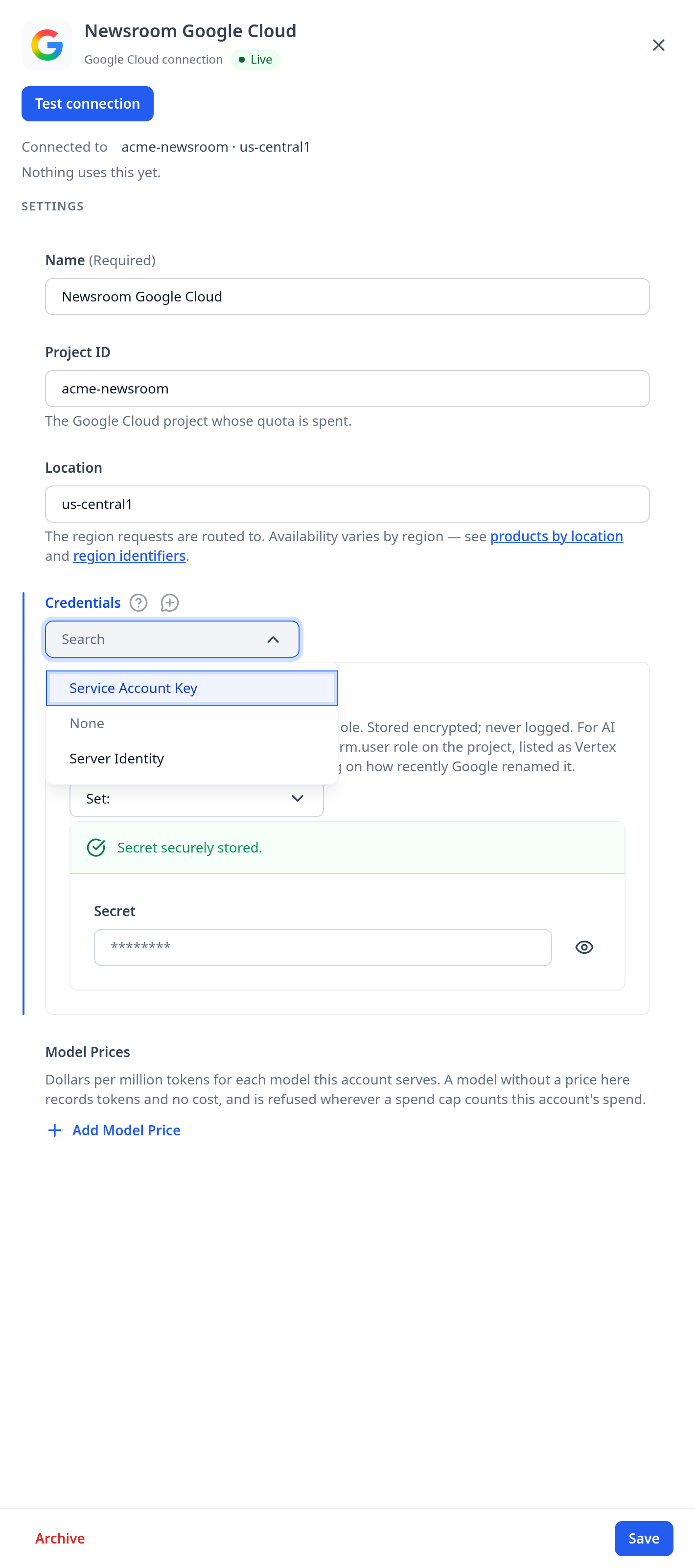
Fields
The Google Cloud connection reference describes each field, in the same words its Guide icon shows in the tool.
Credentials
Requests are signed either with a Service Account Key, the service account's JSON key pasted whole, or with Server Identity, the Google identity the server itself runs as, with nothing to enter. Server Identity is offered only where the platform operator allows it. Even with Server Identity, this is still an account record of its own, with its own project and location. Its AI runs on the platform's bill, so the platform operator prices its models and it has no Model Prices; see models on this deployment's credentials.
Whichever you choose, the identity needs the Vertex AI User role (roles/aiplatform.user, which Google also lists as Agent Platform User) on the project, and the Vertex AI API must be enabled on that project. The platform signs its requests with the cloud-platform scope, the only one that reaches Vertex AI's model endpoints.
Connecting
There is no Connect button. Fill in the project, location and credentials and save.
Not the same as Gemini
A Gemini connection holds an AI Studio key, which is a different product with its own endpoint, quotas and terms, not a smaller version of this one.