AWS connection
One AWS account. In the connection picker it is AWS. It serves two things at once: the AgentCore agents the action below runs, and the Bedrock models AI steps can run on.
Powers these nodes
It also serves as an AI provider account for the built-in AI Agent action, the AI Judgment condition, and the workspace's default model.
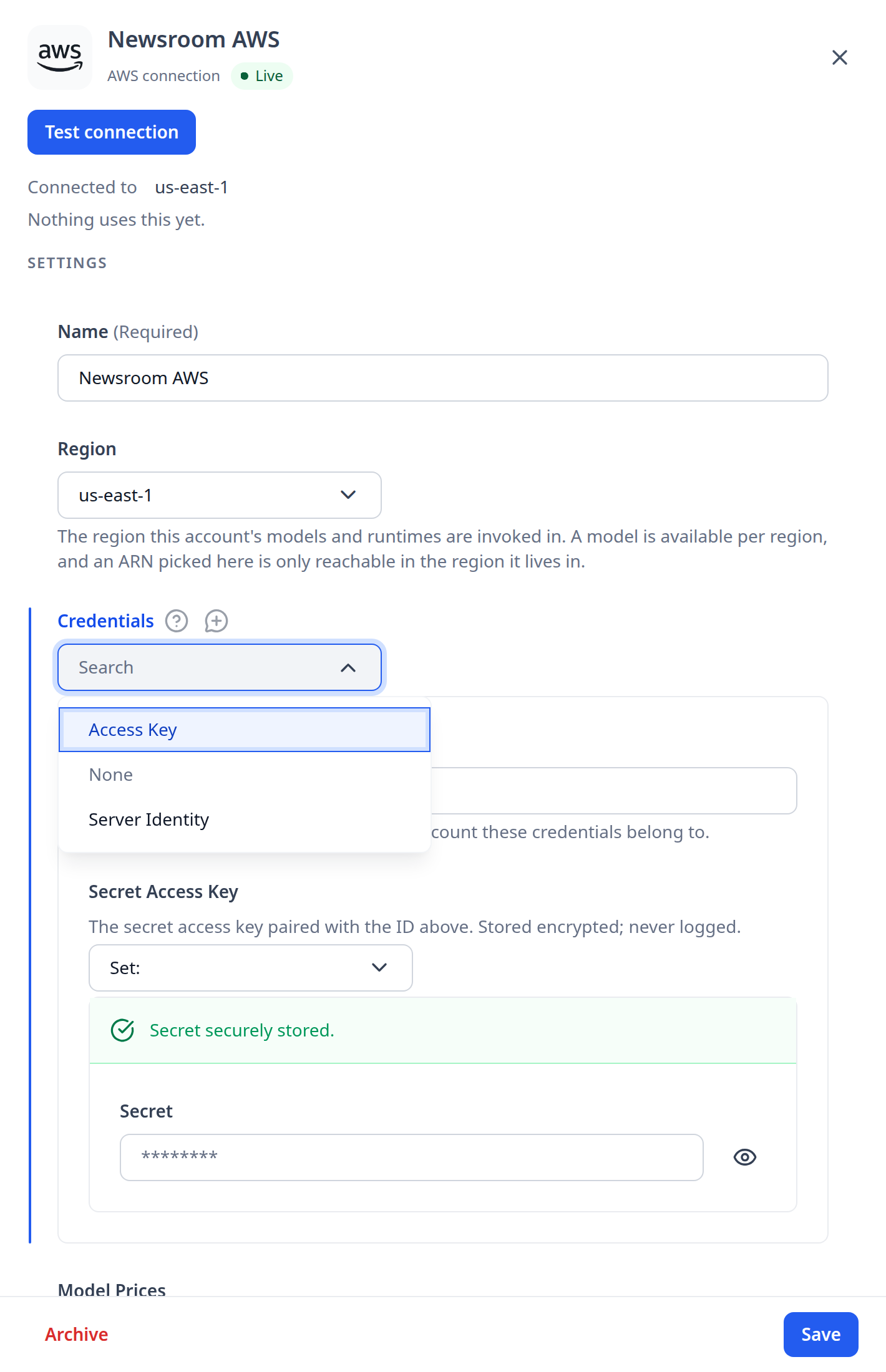
Fields
The AWS connection reference describes each field, in the same words its Guide icon shows in the tool.
Region does more work than it looks like. A model is available per region, and an agent is only reachable in the region it lives in, so changing the region changes both what the Model field offers and which agents an AgentCore step can pick.
Credentials
Requests are signed either with an Access Key you paste in, an access key id and secret for an IAM user in the account, or with Server Identity, the AWS identity the server itself runs as, with nothing to enter. Server Identity is offered only where the platform operator allows it, and whether it works depends on how the server was provisioned. Even with Server Identity, this is still an account record of its own, with its own name and region. Its AI runs on the platform's bill, so the platform operator prices its models and it has no Model Prices; see models on this deployment's credentials.
Whichever you choose, the identity's policy must allow what the platform calls on its behalf:
bedrock:ListFoundationModelsandbedrock:ListInferenceProfiles, to fill the Model field with the Bedrock models available in the region.bedrock:InvokeModelandbedrock:InvokeModelWithResponseStream, to run AI steps on those models.bedrock-agentcore:ListAgentRuntimes, to fill an AgentCore step's Agent field.bedrock-agentcore:InvokeAgentRuntime, to run the agent.
An account used only as an AI provider needs the first two pairs; one used only for AgentCore agents needs the last two.
Connecting
There is no Connect button. Fill in the region and credentials and save. The Model field on anything pointing at this account then offers the text-generating Bedrock models the account can serve in the chosen region.