Azure connection
One Azure OpenAI resource, for AI steps to run on. In the connection picker it is Azure.
Powers these nodes
No Azure-specific nodes yet. It serves the built-in AI Agent action, the AI Judgment condition, and the workspace's default model, anywhere a Provider Account is chosen.
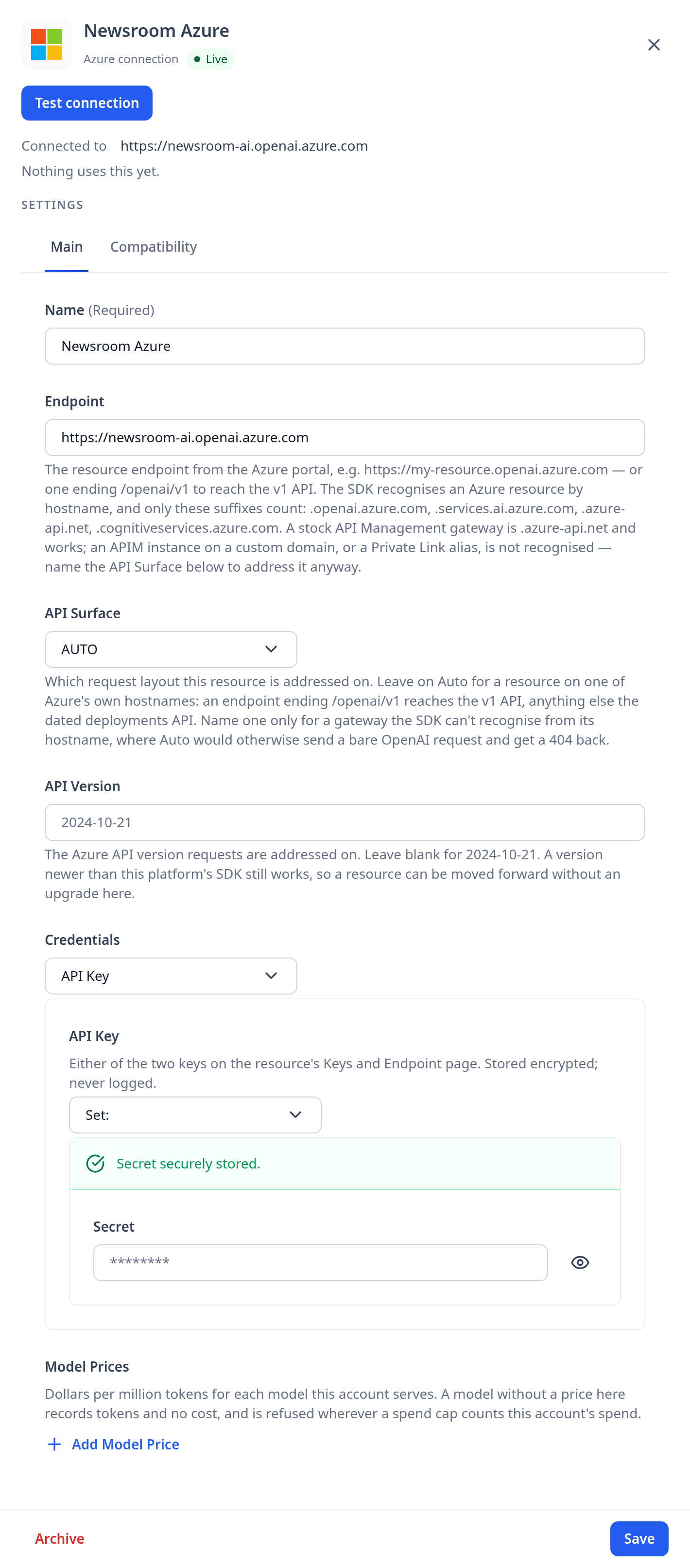
Fields
The Azure connection reference describes each field, in the same words its Guide icon shows in the tool.
Name an API Surface only for a gateway that cannot be recognized from its hostname, such as a vanity domain or a private alias. Azure's own detection works from a fixed list of hostnames, so a resource that is not on one of them gets a request with nothing added to it, and every call comes back as a 404 with nothing to explain it. Naming the surface is the way out of that. A newer API Version than the built-in default still works, so a resource can move forward without waiting on an upgrade here.
The deployment name is the model
Azure routes on the name you gave your deployment, not on the model's own name, so unlike every other provider account it publishes no model list to pick from. Wherever you choose a model for this account, type the deployment's name into the Model field. Find it under Deployments inside the resource in the Azure portal. An empty model list is normal here, not a sign the connection is broken.
Compatibility
Azure speaks the OpenAI protocol but not all of it, so the Compatibility tab carries two switches, both on by default here:
- Don't Use response_format asks a model for a structured answer by having it call a function, instead of through the protocol's own
response_formatrequest. Steps that need a structured answer, such as one filling in a Payload Type, depend on it. - Don't Use response_format Together With Tools does the same only on requests that also carry tools.
Leave both on unless you know the deployment's model and API version support response_format natively. The symptom of a switch wrongly off is a step failing because the model returned no structured output, or the wrong shape; the symptom of one wrongly on is nothing at all.
Connecting
There is no Connect button. Enter the endpoint and key and save.