Automation Completed
Starts the automation when a different automation finishes. Reach for it to chain work together without wiring the second automation into the first: a cleanup after a long-running job, a Slack message to the desk when the nightly import fails.
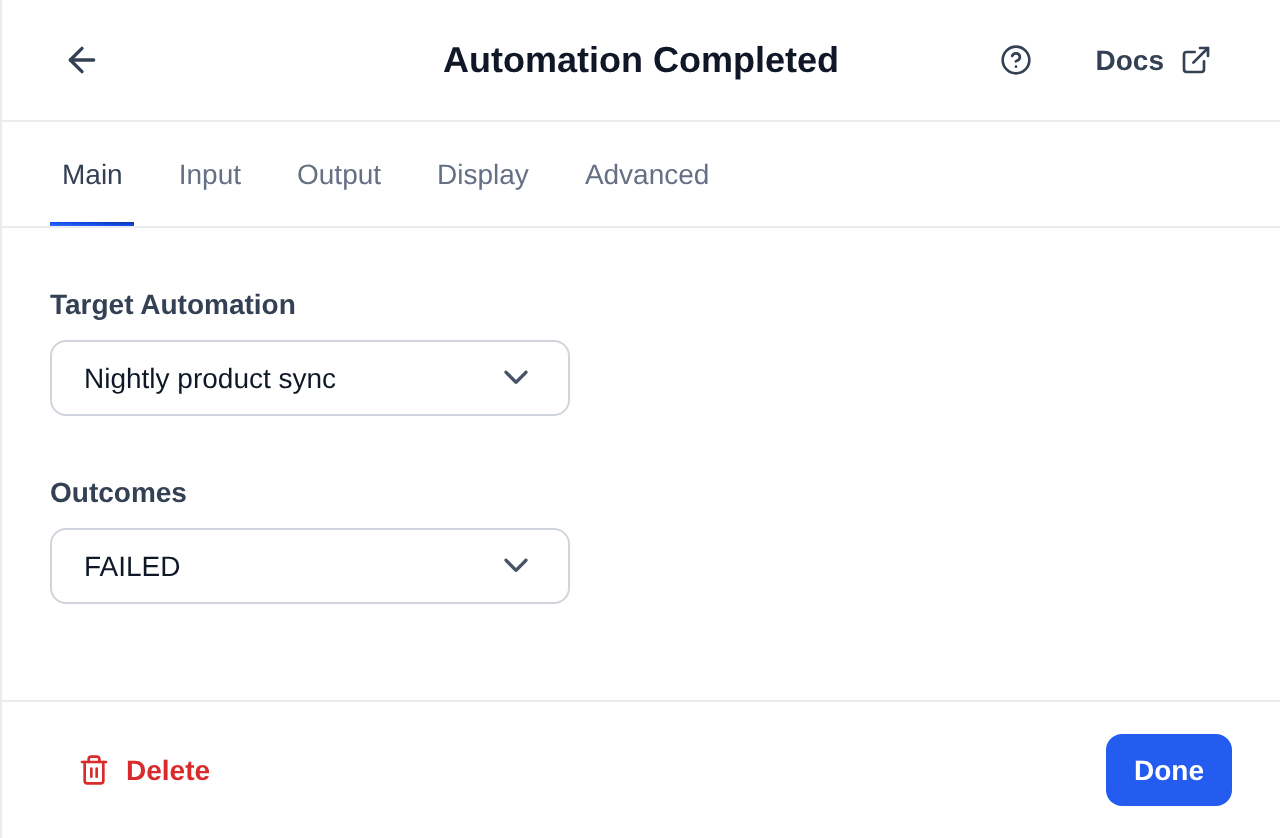
Fields
| Field | Description |
|---|---|
| Target Automation | The automation to watch. It can't be the automation that owns this trigger. |
| Outcomes | How the watched run has to end for this trigger to fire: SUCCEEDED, FAILED, or both, as the form labels them. A run that was cancelled never fires it. |
What later steps see
The output describes the finished run, so one trigger can serve both outcomes and later steps can branch on how it ended:
- sourceAutomationId and sourceAutomationName: which automation finished.
- sourceExecId: which run it was.
- outcome:
SUCCEEDEDorFAILED. - triggerPayload: the input that started that run.
- startedAt, completedAt and durationMs: when it ran and for how long, in milliseconds.
- errorSummary: a summary of the error, present only when the run failed.
- result: the answer the run gave through its Result step, when the watched automation declares one and the run completed.
Only the run itself counts. A run that starts other automations fires this trigger once, when the run that started them finishes.