Teams Message action
Posts a message to a Microsoft Teams channel through the connection's bot. In the action picker it is Teams Message, under Integration Actions.
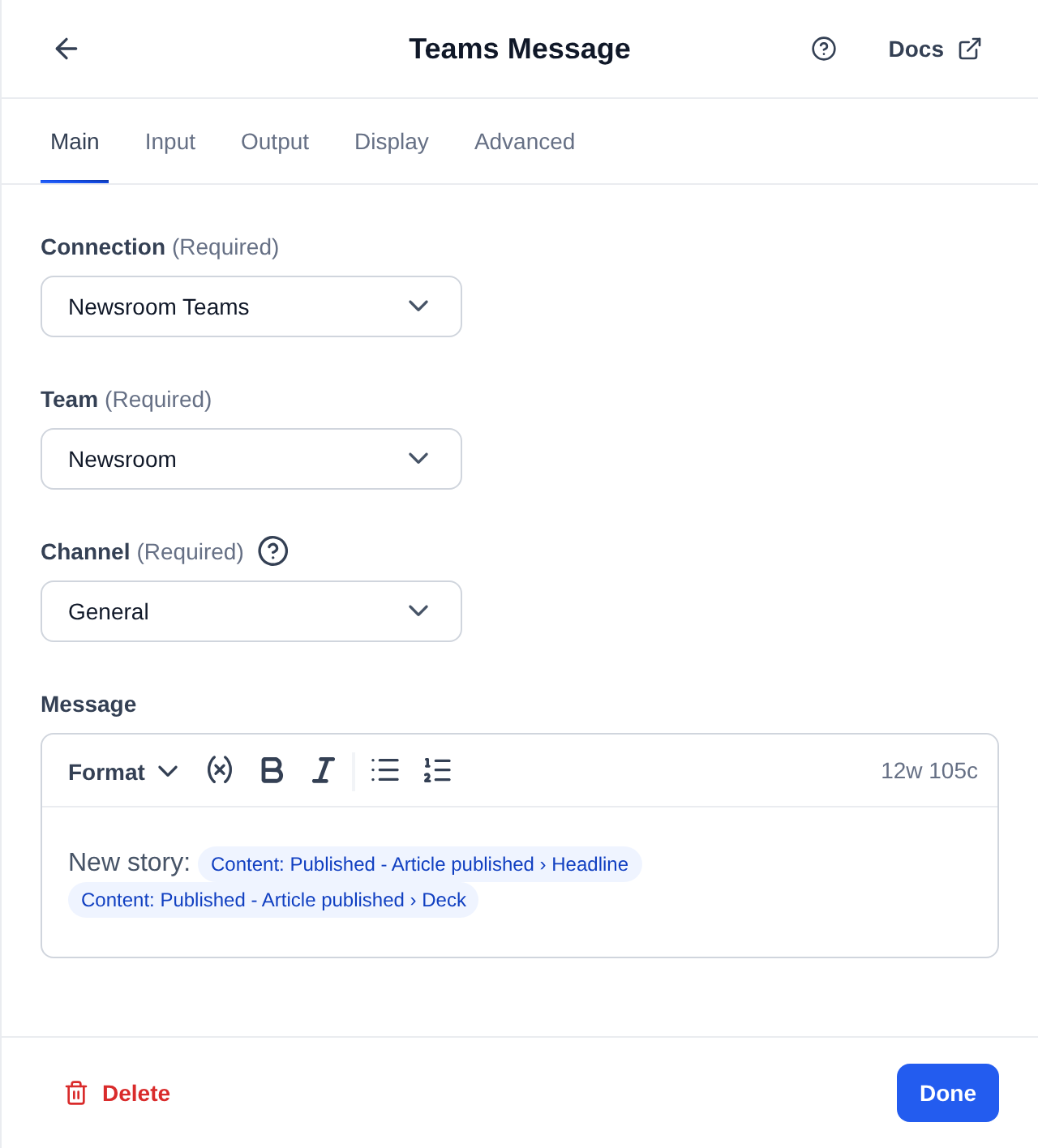
Fields
| Field | Required | Description |
|---|---|---|
| Connection | Yes | The Microsoft Teams connection to post through. |
| Team | Yes | The team to post to, chosen from a picker. Limited to the connection's allowed teams when it curates a subset. |
| Channel | Yes | The channel within the selected team, chosen from a picker that fills itself once a team is picked. |
| Message | No | The message, as rich text. Accepts variables, and is delivered as an Adaptive Card. |
| Test Recipient Override | No | On the Advanced tab. During a dry run, this step posts to a test team and channel instead of the real destination. |
Picking the recipient
Pick a team, then a channel within it. You choose display names, never raw ids, and both lists come from the connection. When an administrator has curated a subset of allowed teams on the connection, the team list is that subset. The pickers stay empty, with a note saying so, until an administrator has granted the connection's Microsoft Graph consent.
Unlike Slack, the recipient is picker-only. The channel can't come from a variable, the action can't message a person directly, and only standard channels are offered, not private or shared ones.
Composing the message
The Message field is a rich-text editor offering only the formatting an Adaptive Card can render: bold, italic, links, and bulleted and numbered lists. Underline, strikethrough, superscript, subscript, headings, tables and inline code are absent because Teams shows their markup as literal characters rather than as formatting.
Links come from the Elements dropdown rather than a toolbar button, and take an external URL only. A link to CMS content would not resolve for whoever reads the message in Teams. Content pasted from another editor keeps its text and loses only the styling Teams cannot show.
Output
| Field | Description |
|---|---|
channel | The channel id the message was posted to. |
conversationId | The conversation the message was posted into. |
activityId | The id of the created message. |