GitHub connection
The saved link to GitHub. In the connection picker it is GitHub.
Powers these nodes
It also lets a saved script be kept in step with a file in a repository, under either kind of authentication, or with a gist, under a personal access token only, since an app installation cannot reach gists. See Keeping a script in a repository or a gist.
Authenticating
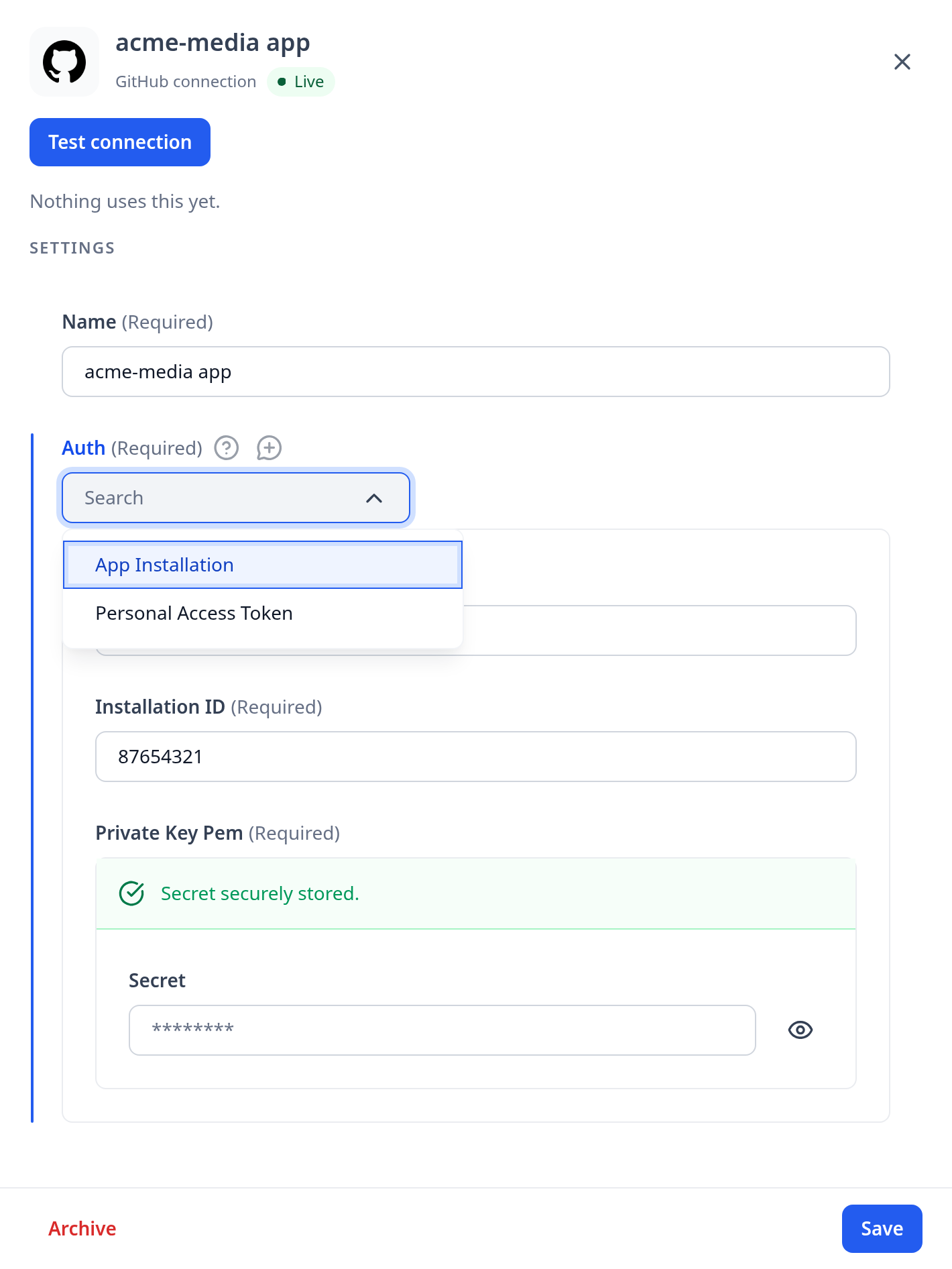
Use an App Installation for a connection a team shares: it belongs to the organization and survives people leaving. Use a Personal Access Token for quick personal use, or to reach gists. Both store credentials, so there is no Connect button: fill in the fields and save. The GitHub connection reference describes each field, in the same words its Guide icon shows in the tool.
- App Installation
- Personal Access Token
An app installation is tied to an organization rather than a person. An administrator registers the GitHub App, installs it in the organization, and hands you its App ID, the Installation ID, and the app's private key. The app's permissions decide what the connection can do: give it Webhooks (read and write) for triggers to register themselves, and read and write on Contents, Pull requests, Issues, Commit statuses and Actions for the operations your automations use.
The private key must be in PKCS#8 format, which begins -----BEGIN PRIVATE KEY-----. GitHub hands out a PKCS#1 key, which begins -----BEGIN RSA PRIVATE KEY-----, and saving the connection refuses it. Convert it first:
1openssl pkcs8 -topk8 -nocrypt -in key.pem -out key-pkcs8.pem
A personal access token acts as the person it belongs to, so the connection stops working if that account is deactivated. A fine-grained token needs read and write on the repositories the automations act on, for Contents, Pull requests, Issues, Commit statuses, Actions and, for triggers, Webhooks. To push a saved script to a gist, it also needs the Gists permission under Account permissions set to Read and write; a classic token needs the repo scope, admin:repo_hook for triggers, and gist for gists.