GitHub trigger
Starts the automation on a GitHub event for a chosen repository. In the trigger picker it is GitHub, under Integration Triggers.
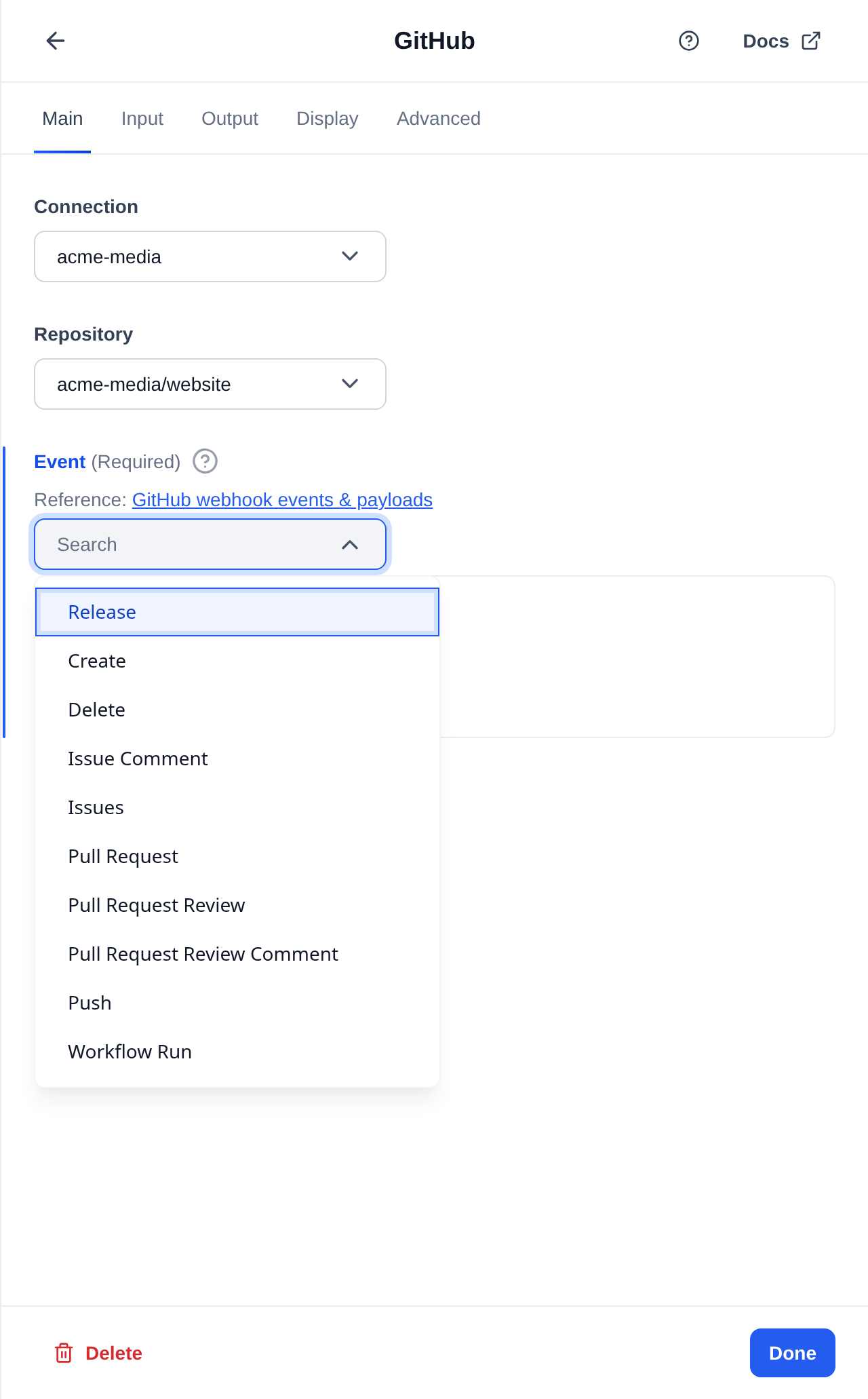
Fields
| Field | Required | Description |
|---|---|---|
| Connection | Yes | The GitHub connection to use. |
| Repository | Yes | The repository to watch, as organization/repository. |
| Event | Yes | The event to fire on. Choosing one reveals whatever that event narrows by. |
Saving the trigger registers its webhook on the repository, whichever way the connection authenticates, and deleting the trigger removes it. Nothing has to be set up on GitHub.
Events
| Event | Fires on | Its own fields |
|---|---|---|
| Push | A push to the repository. | None. |
| Pull Request | Pull request activity. | Actions: narrow to specific pull request actions, such as opened or closed. Leave it unset for all of them. |
| Issues | Issue activity. | Actions: narrow to specific issue actions. Leave it unset for all of them. |
| Issue Comment | A comment on an issue or pull request. | None. |
| Pull Request Review | A review submitted on a pull request. | None. |
| Pull Request Review Comment | A comment on a pull request review. | None. |
| Release | Release activity. | None. |
| Create | A branch or tag is created. | Ref Types: narrow to branches or tags. |
| Delete | A branch or tag is deleted. | Ref Types: narrow to branches or tags. |
| Workflow Run | A workflow run changes state. | None. |
Deliveries
Each delivery is recorded on the trigger's Deliveries screen under GitHub's delivery id. A delivery GitHub sends again under an id the trigger has already accepted, such as a Redeliver from the webhook's page on GitHub, is recorded as DUPLICATE_DELIVERY rather than run again. To run a delivery again, use Replay on the Deliveries screen, which starts a real run; see Deliveries. A payload is accepted up to 25 MB, GitHub's own limit.
Output
The GitHub event's payload. The exact shape depends on the event, and later steps see that shape as soon as you pick one.