Map Values
Looks the value up in a table of Entries and replaces it with the Result of the first entry whose Match it equals. Use it where two systems name the same thing differently, such as a Jira priority of Highest and the Slack emoji :rotating_light: that should stand for it, or a status code of 404 and the words Not found. A list has each of its items looked up in turn.
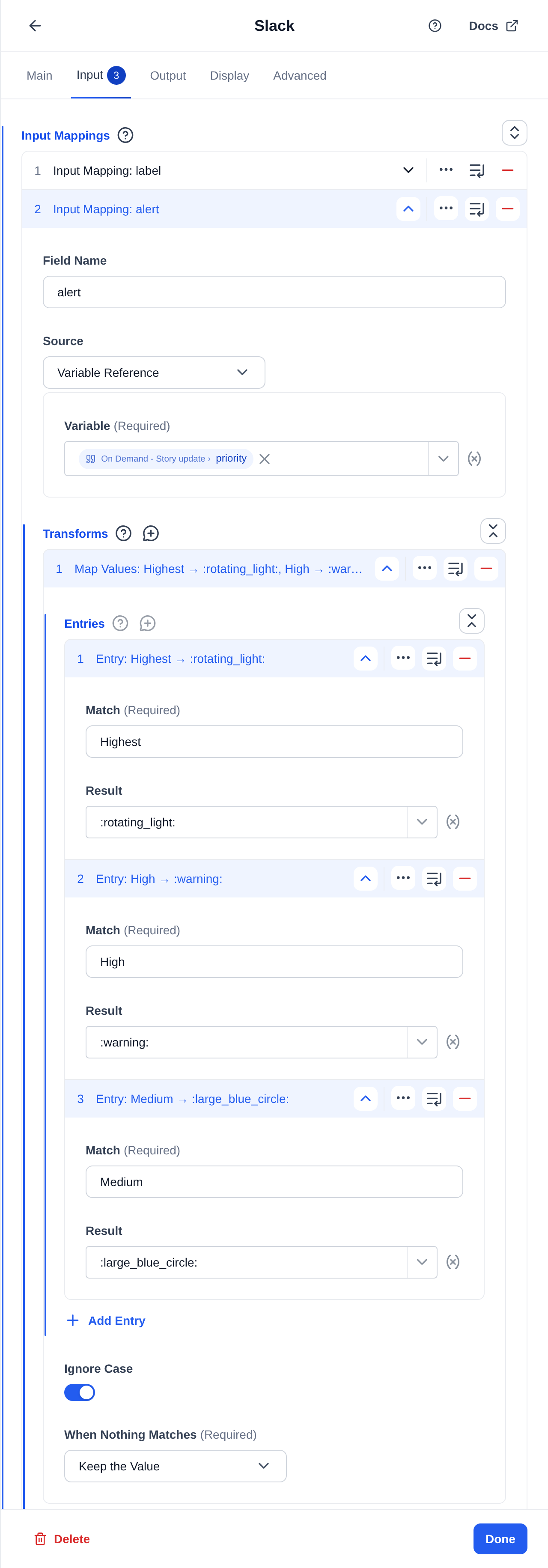
The Map Values reference describes each field, in the same words its Guide icon shows in the tool.
Matching
Text, and true or false, match a Match that reads the same; turn on Ignore Case for text to match regardless of case. A number matches as a condition's Equals compares one, so 404 matches whether it arrives as a number or as text.
When nothing matches
When Nothing Matches says what happens to a value no entry covers:
- Keep the Value, the default, passes it on unchanged, so the table need list only the values it changes. A priority the table doesn't name stays as Jira wrote it.
- Use the Fallback replaces it with Fallback, which accepts a variable reference. Every unlisted priority becomes
:white_circle:. - Leave It Empty replaces it with
null, so a Set Value with Only When Empty after it, or the step's own default, can take over.