Jira trigger
Starts the automation on a Jira event for a chosen project. In the trigger picker it is Jira, under Integration Triggers.
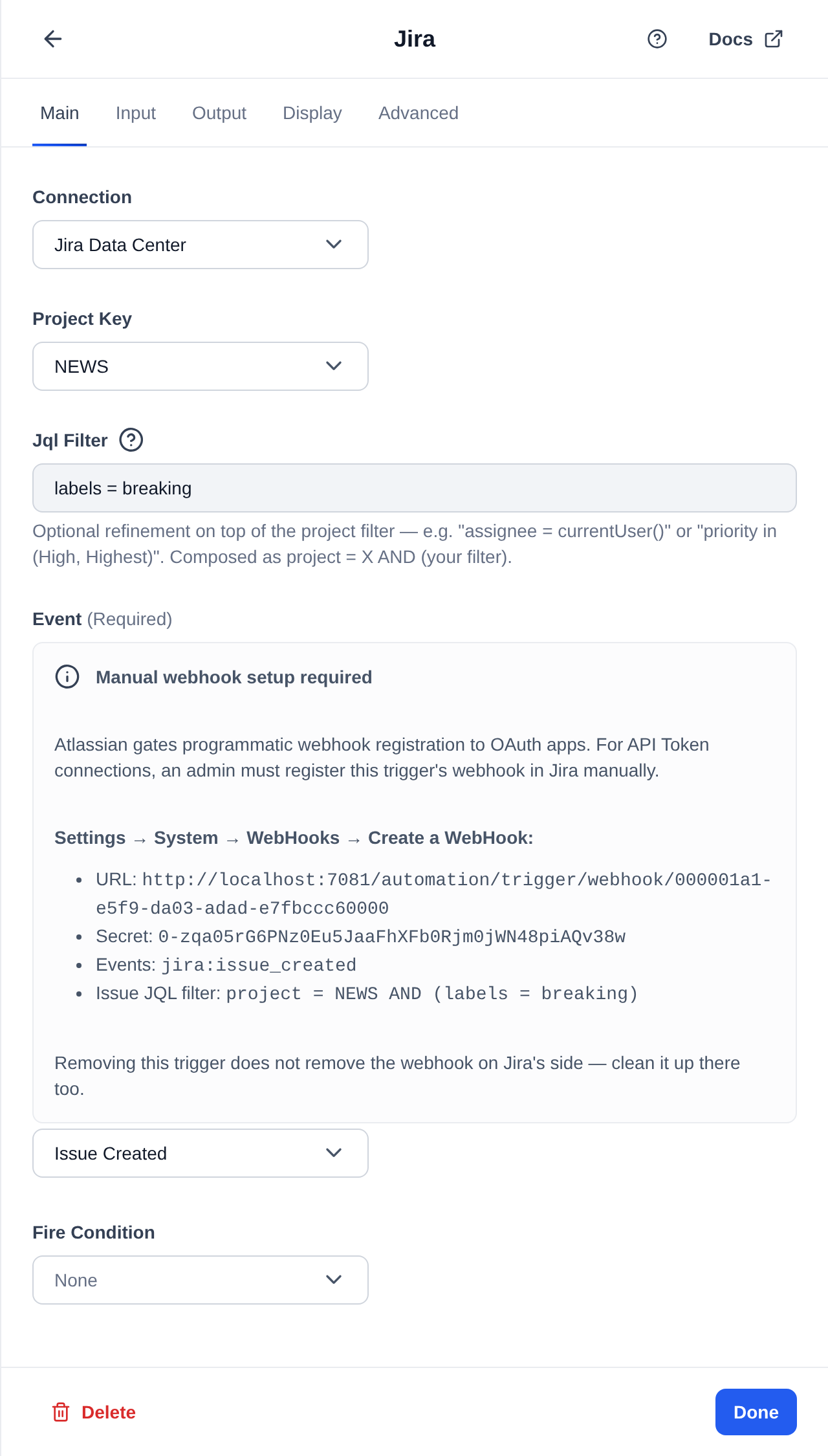
Fields
| Field | Required | Description |
|---|---|---|
| Connection | Yes | The Jira connection to use. |
| Project | Yes | The Jira project to watch. |
| JQL Filter | No | A refinement in JQL, Jira's query language, combined with the project filter. For example priority in (High, Highest) or assignee = currentUser(). |
| Event | Yes | The event to fire on. |
Events
| Event | Fires when | Its own fields |
|---|---|---|
| Issue Created | An issue is created. | None. |
| Issue Updated | An issue changes. | Changed Fields: fire only when one of the listed fields changed. Leave it empty to match every update. |
| Issue Deleted | An issue is deleted. | None. |
| Comment Added | A comment is added. | None. |
| Comment Updated | A comment is edited. | None. |
Registering the webhook
Jira has to be told to send these events. How depends on how the connection authenticates, and the note under Event shows the current state either way.
- OAuth connection
- API token connection
Saving the trigger registers the webhook with Jira, and the note reads Webhook registered with Jira with its remote id. Atlassian expires registered webhooks after 30 days, so the platform renews them daily; the connection's Registered Webhooks tab lists them. If the note says registration is pending or failed, save again to retry.
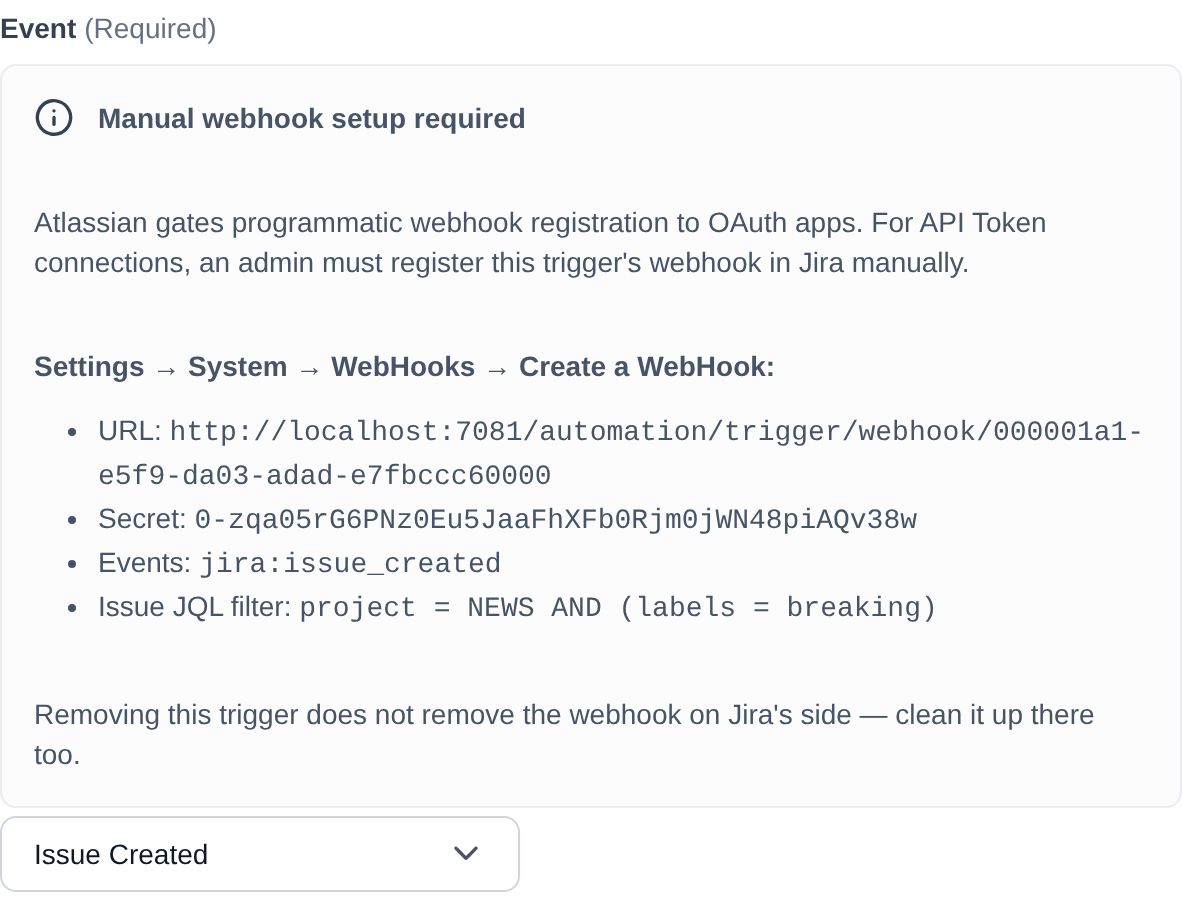
Atlassian lets only OAuth apps register webhooks, so an administrator creates this one in Jira by hand. Once the trigger is saved, the note under Event shows the values to copy.
To register the webhook in Jira:
- In Jira, open Settings > System > WebHooks, and click Create a WebHook.
- In the URL field, paste the URL the trigger's note shows.
- Paste the Secret the note shows.
- Under Events, select the event the note names, such as issue created.
- In the JQL filter, paste the filter the note shows, which combines the project with the trigger's own JQL Filter.
- Save the webhook.
Removing the trigger later does not remove the webhook on Jira's side; delete it there too.
Deliveries
Jira retries a delivery it could not deliver, under the same identifier. A retry of a delivery the trigger has already accepted is recorded on its Deliveries screen as DUPLICATE_DELIVERY rather than run again. Replay there is how a delivery is run again, as a real run; see Deliveries.
Output
The event's payload: the issue or comment involved.