Email action
Sends an email to one or more recipients. In the action picker it is Email, under General Actions. It needs no connection: the platform operator sets up delivery once, and a live run fails at this step until that is done; see Email.
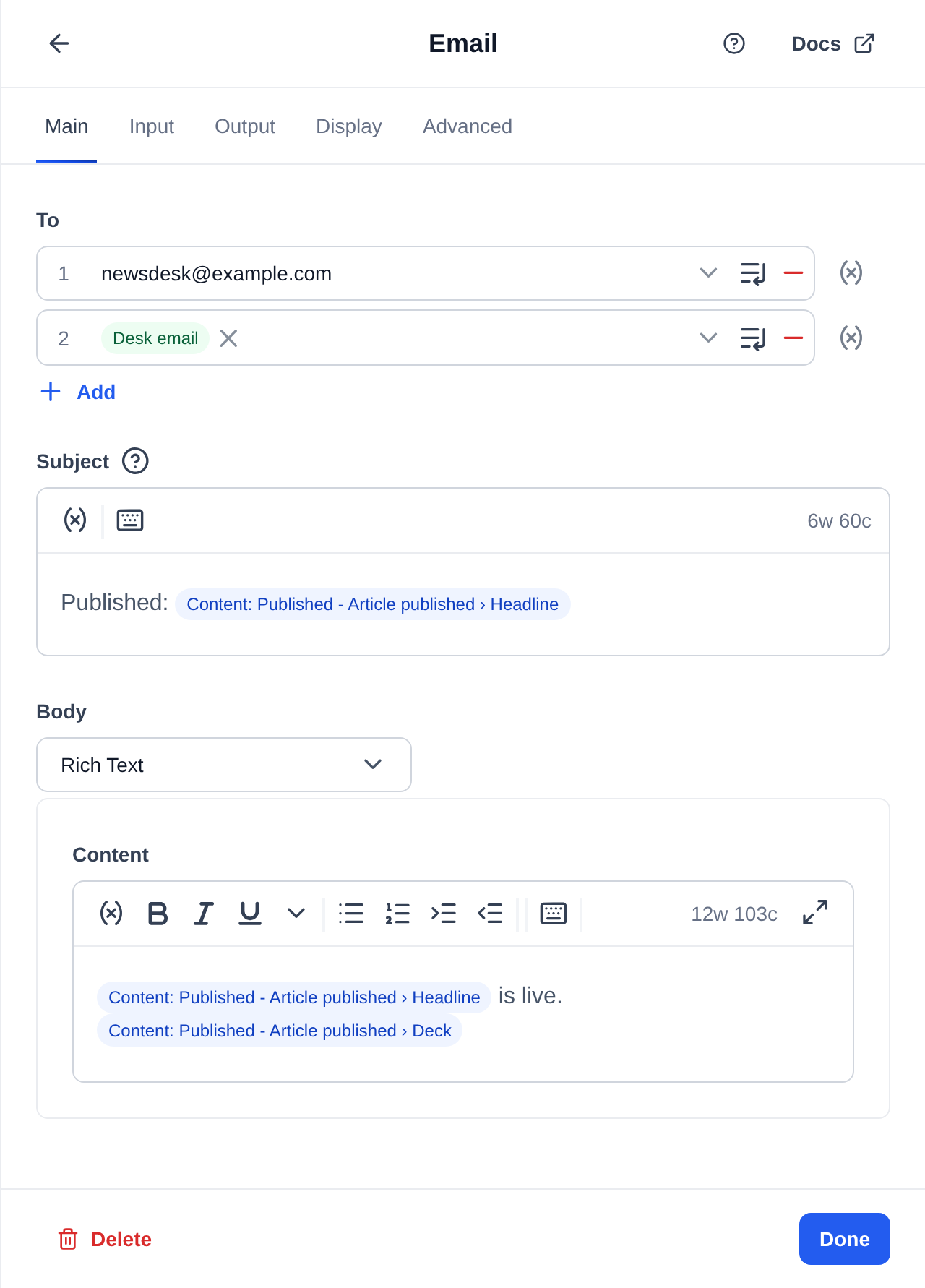
Fields
The fields with a Guide icon are described in the Email reference, in the same words.
| Field | Required | Description |
|---|---|---|
| To | Yes | The recipient email addresses. Accepts variables, so a recipient can come from the trigger's data, such as an author's address. |
| Subject | No | The subject line. Accepts variables. |
| Body | No | The message body: Rich Text for basic formatting written here, or HTML for markup you supply. Both accept variables. In either, a variable's value reads as the text it is, with any markup it holds escaped; turn on the HTML body's Raw Variables when a variable holds HTML you mean to send as written. |
| Test Recipients Override | No | On the Advanced tab. During a dry run, this step sends here instead of the automation-level email test target. Leave it unset to use that target. |
Who actually receives it
When the platform operator has set an unsubscribe secret for the deployment, every message carries an unsubscribe link in its footer, internal notifications included. A recipient who clicks it is skipped by this step from then on, and the run's log says so per address. There is no page in the workspace to undo an opt-out; the platform operator can remove it. An opt-out is recorded against this step in this automation and that address alone, so unsubscribing from one notification never cuts the same person out of an unrelated automation. Without an unsubscribe secret, messages carry no link and nobody can opt out.
Output
| Field | Description |
|---|---|
sent | Addresses the message was sent to. |
failed | Addresses that failed, each with a reason. |
skipped | Addresses that were skipped, such as opted-out ones, each with a reason. |